DIAGNOSTICS
14
8.3 Maintenance
8.3.1 Disposal of consumables
Discard the used cartridges, replaceable trays, reagent bottles and other consumables in 0.5%
Sodium Hypochlorite. Let the items remain submerged in the solution for 30 minutes and then
dispose as per the medical waste guidelines in your region.
8.3.2 Cleaning
The surface of the device should be cleaned using freshly prepared 0.5% Sodium Hypochlorite
solution and a clean cloth or tissue. This should be done once everyday and/or when the device is
moved to a different work space.
8.3.3 Spills
If you notice a spill in the replaceable tray and rail guards placed in the cartridge holder, dispose
the tray. Clean the insides of the cartridge holder with clean cloth or tissue or swab dipped in 70%
Iso Propyl Alcohol (IPA). Wait for 5 minutes before inserting a new replaceable tray and rail guards
into the holder.
8.3.4 Disposal of Instrumentation
Do not Dispose off Instrument as unsorted municipal waste. Contact Molbio for collection of
instrument.
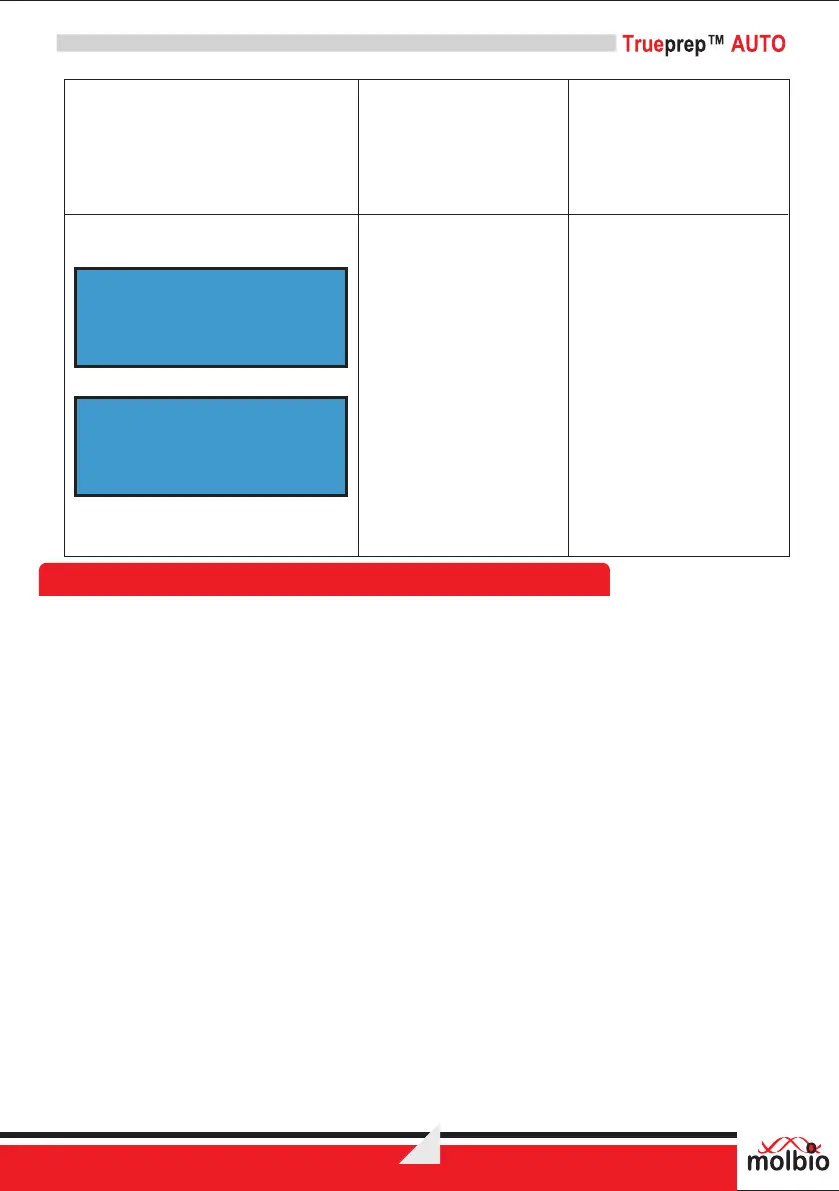
The Screen toggles
between 2 displays
“Change reagent pack
and Reset” and “By
Pressing Start & Eject
SW”
Reason:
The reagent bottles have
been used up.
Solution:
Remove the used up
reagent bottles and
discard as per the pack
insert. Plug in a new
TM
Trueprep AUTO
Reagent Pack as shown in
Section 7.2. Re-set the
counter by pressing Start
and Eject buttons together.
Solution:
Connect the charger and
wait for the device to finish
charging or operate it on
mains
CHANGE REAGENT
PACK & RESET
BY PRESSING
START & EJECT SW


 To Next Page