DIAGNOSTICS
4
2 Installation
2.1 Installation Precautions
Do not install the Trueprep™AUTO next to instruments that may cause
vibrations or electromagnetic interference.
Do not store the Trueprep™ AUTO in the path of direct sunlight or use it close to any
radiating or heating apparatus, such as a conventional oven, hot plate or infrared lamp.
Do not store the Trueprep™ AUTO in an atmosphere of potentially explosive liquids,
vapors and gas.
Always place theTrueprep™ AUTO on a flat surface in an upright position.
2.2 Environmental Requirement
The Trueprep™ AUTO has been designed to operate safely within the following environment
specifications:
Room temperatures ( between 15°C to 45°C )
Relative Humidity (RH) between 10% –90% (non-condensing)
The unit should be stored on a flat, dry surface.
3 Specifications
4 Precautions
Check for Low Battery before using the Trueprep™ AUTO (see section 7.1)
Insert and remove the cartridge gently from the holder, use of excessive force could damage
it.
Do not spill liquids inside the cartridge holder
Do not perform an extraction in the presence of reactive vapours (e.g., from sodium
hypochlorite, acids, alkalis or aldehydes) or dust.
Proprietary matrix-based extraction
Fully Automatic
2 line alphanumeric LCD
Rechargeable Lithium Ion Battery Pack 7.4 V, 11.6 Ah
External AC/DC adaptor: Input 1.5A, 100/240V, 50/60 Hz;
Output 10V, 4.5A
2.9 kgs
215 x 235 x 115 mm
Proprietary firmware
Temperature 15 - 45°C, RH: 10 -90%
Principle
Operation
Display Screen
Power
Weight
Size
Software
Operating environment
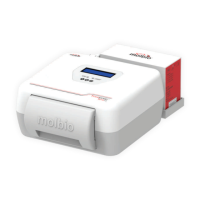
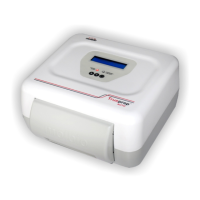
Trueprep™AUTO Device


 To Next Page