Environment Control Option Operations
5014166 D 19
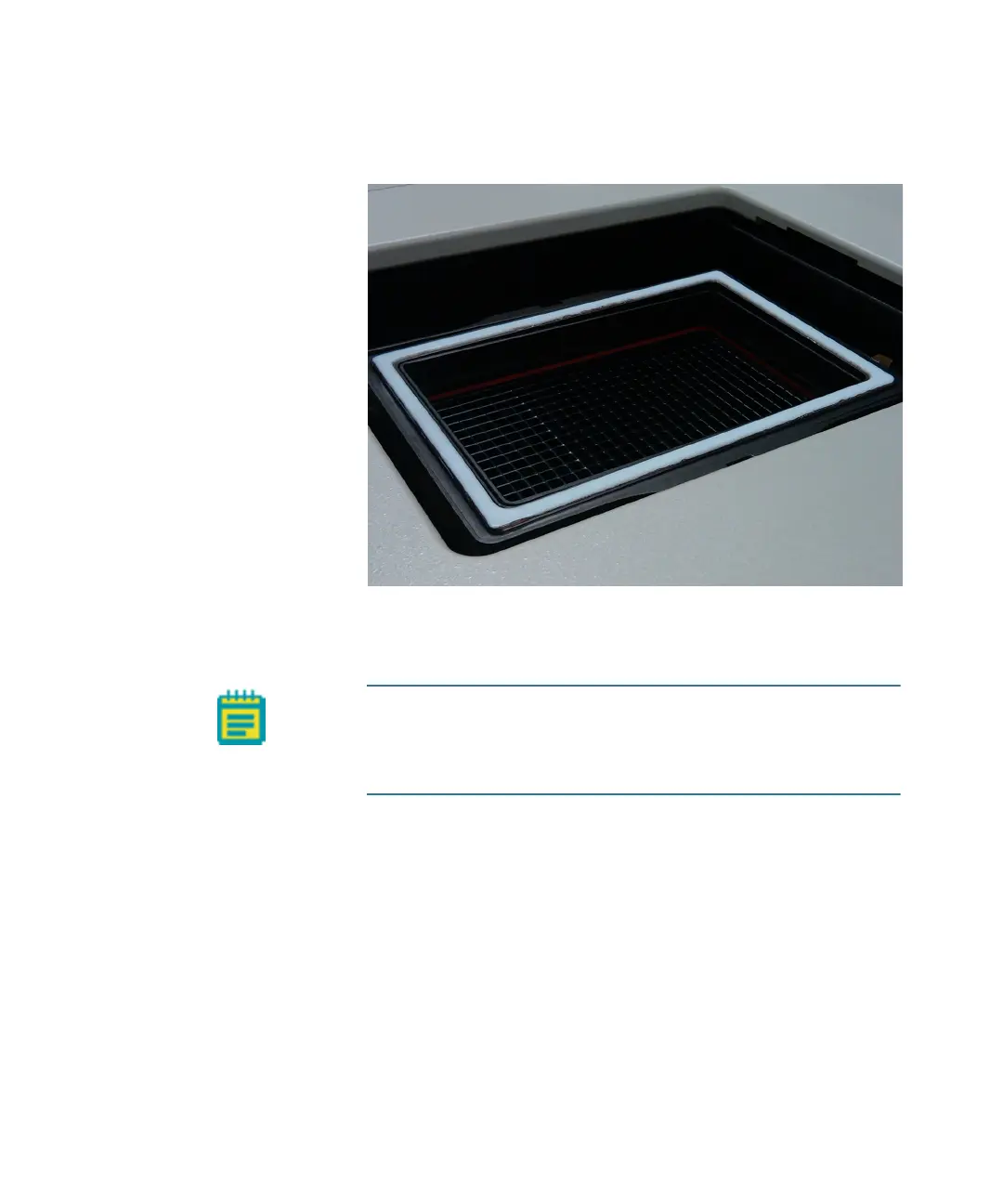
3. Place the live-cell sealing ring directly on top of the plate, making
sure that it fits securely onto the plate.
Figure 1-9: Environment Control option live-cell sealing ring
4. In the MetaXpress software, click Screening > Plate acquisition
and Control > Load Plate to close the top door of the instrument.
Note: Temperature fluctuations in the plate and its
surroundings cause the plate and its cells to shift in X,Y, and Z
direction. To minimize these temperature fluctuations, take the
following precautions.
ImageXpressOptionsUserGuide.book Page 19 Wednesday, September 9, 2015 3:54 PM


 To Next Page