ImageXpress Micro High Content Imaging System Options User Guide
24 5014166 D
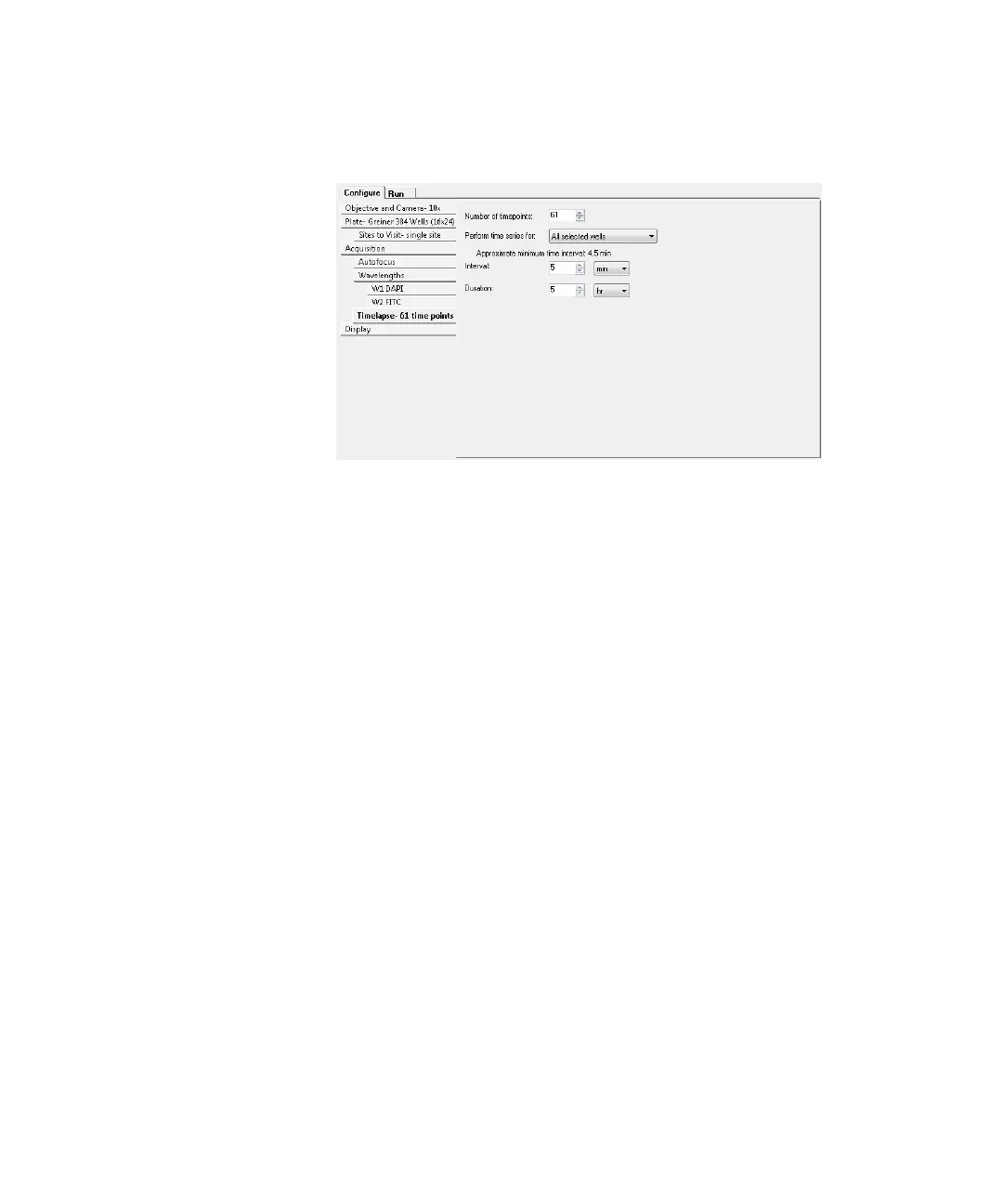
4. Under Configure, click Timelapse to configure timelapse
acquisition options. See Figure 1-13 on page 24.
Figure 1-13: Timelapse tab
5. In the Number of time points field, specify the number of time
points to use. Fluidic events can be associated with these time
points. See
Doing Fluidics Experiments on page 43.
6. Click Perform time series for and select one of the following
methods for acquiring a series of timelapse images,
corresponding to different types of experiments:
All selected wells is used for long timelapse experiments.
The system images all wells at the first time-point, then all
wells at the second time point, and so on.
One well then the next is used for a fast kinetic experiment.
The system images all time points on well 1, then moves to
well 2 and images all time points, and so on.
One row then the next or one column then the next is
suitable for an experiment using manual pipetting.
ImageXpressOptionsUserGuide.book Page 24 Wednesday, September 9, 2015 3:54 PM



 To Next Page