Transmitted Light Option Operations
5014166 D 63
To use the flip-in lens on the ImageXpress Micro XLS System
1. Power off the instrument.
2. Use a Phillips screwdriver to remove both of the left side panels
of the instrument to access the flip-in lens mounted on the
outside of the optics cover.
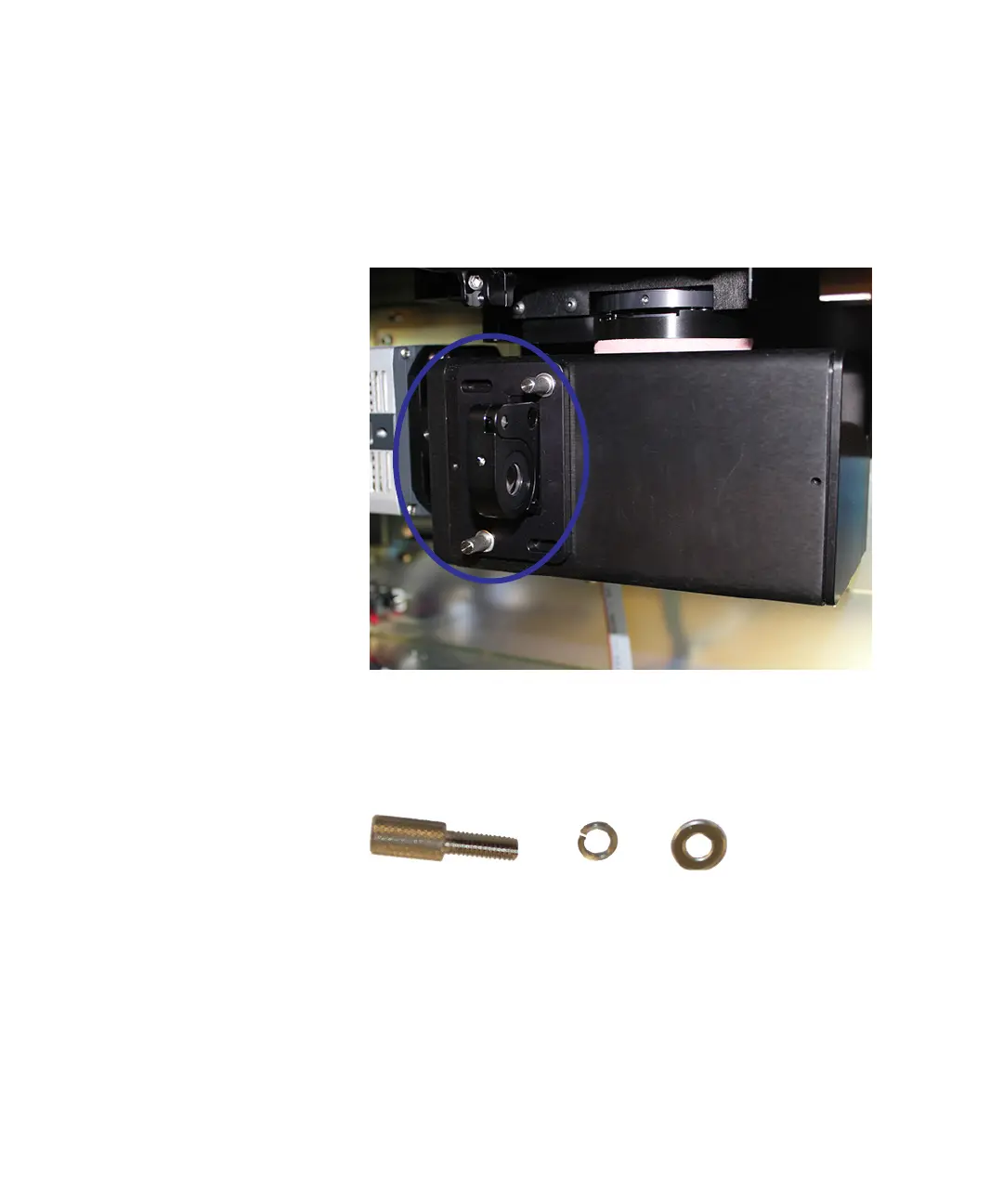
Figure 4-9: Flip-in lens on the ImageXpress Micro XLS System
3. Remove the two thumbscrews and their washers from the flip-in
lens mounting plate.
There is a flat washer and a split-ring washer on each
thumbscrew on the flip-in lens assembly.
Figure 4-10: Thumbscrew and washers
4. Remove the flip-in lens assembly from the instrument.
5. Remove the protective cloth bag from the flip-in lens.
6. Move the flip-in lens into it fully extended position.
ImageXpressOptionsUserGuide.book Page 63 Wednesday, September 9, 2015 3:54 PM



 To Next Page