Transmitted Light Option Operations
5014166 D 65
To use the phase ring adjustment lens on the ImageXpress Micro
Confocal System
1. Exit the MetaXpress Software if it is running.
2. Click Start > Programs > MetaXpress and then right-click Meta
Imaging Series Administrator and select Run as administrator to
start the MetaXpress Meta Imaging Series Administrator
software.
3. Click Configure Hardware.
4. In the Configure Hardware dialog, select the correct hardware
configuration, and then click Configure Devices.
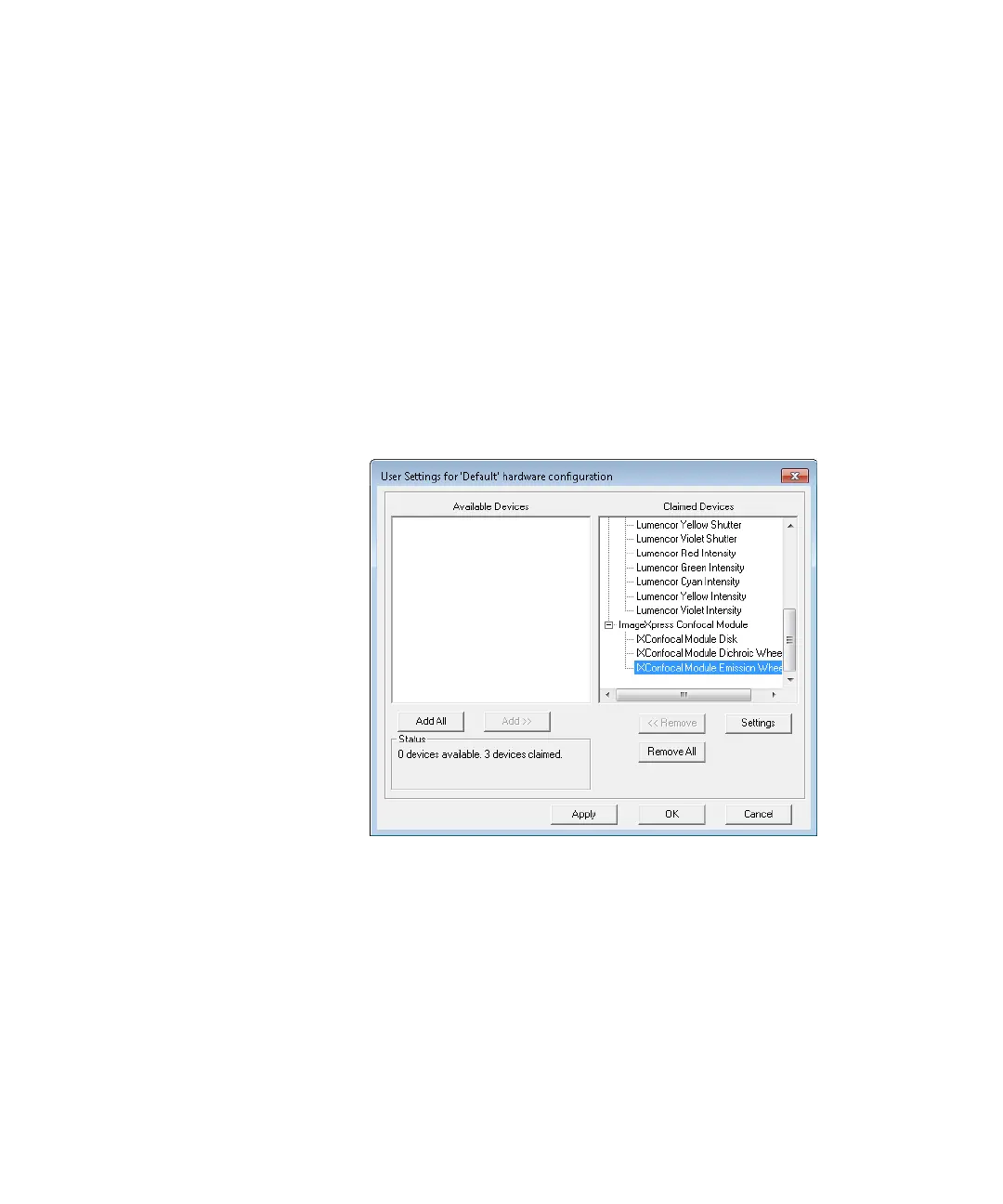
5. In the right pane of the User Settings for hardware configuration
dialog, click IXConfocal Module Emission Wheel, and then click
Settings.
Figure 4-12: User Setting Selection of IXConfocal Module
Emission Wheel Settings
ImageXpressOptionsUserGuide.book Page 65 Wednesday, September 9, 2015 3:54 PM



 To Next Page