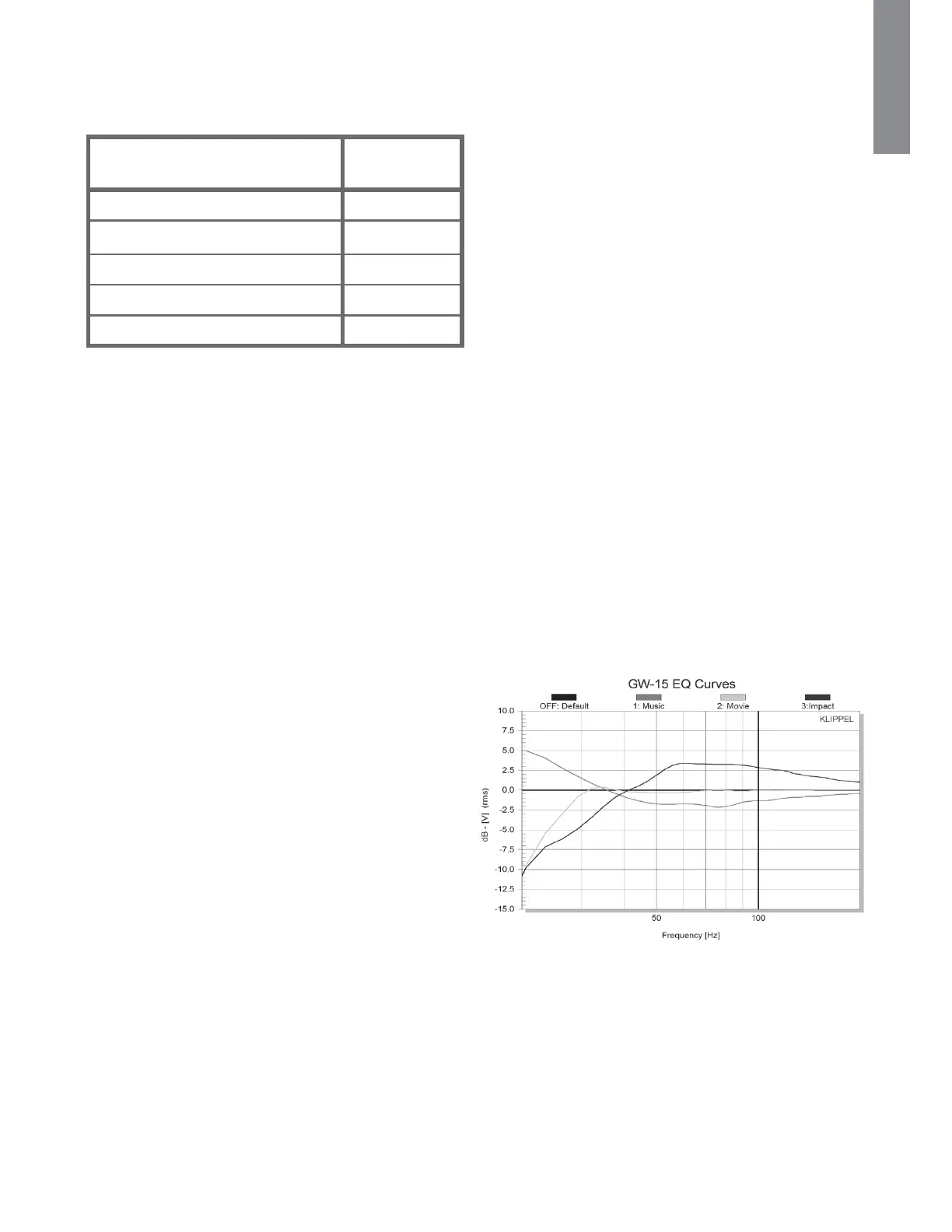
Suggested Crossover Frequencies
#FMPXJTBUBCMFUIBUTIPXTTVHHFTUFEDSPTTPWFSGSFRVFODJFT
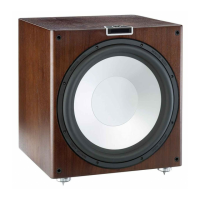
to set the Gold W15 to when partnering main speakers.
Phase
The Phase Control is used to synchronise any delay between
the Gold W15 and main/ satellite speakers. When the Gold
W15 is in phase with the main/ satellite speakers the sound
should be full bodied. Sit in a normal listening position
whilst adjusting the phase settings. When set correctly the
MPDBUJPO PG UIF TVCXPPGFS TIPVME CF BMNPTU VOEFUFDUBCMF
Experimentation is advisable. However it should be noted that
in most cases the phase control should be set to 0 degrees,
FTQFDJBMMZXIFO VTJOH B EJHJUBM "7 QSPDFTTPS PS "7SFDFJWFS
BNQMJˌFS5IFQIBTFBOHMFDBOCFBEKVTUFEJOTUFQTPG
180, 270, degrees.
Setting the Phase Using the Remote
With the Gold W15 powered up and out of standby mode, follow
the next steps to set the Phase:
1. Press the RIGHT arrow. The display will change to /3)
2. Press it a second time so the display changes to 3+$
3. Press ENTER. The display will change to show the
current setting, eg.
4. 1SFTTUIF61%08/BSSPXTUPBEKVTUUIFTFUUJOH
5. 1SFTT&/5&3UPTFMFDUBOETBWF5IFEJTQMBZXJMMˍBTI
UXJDFUPDPOˌSNTFMFDUJPOBOEUIFOEJTQMBZ3+$
Setting the Phase Using the Control
Panel Encoder
With the Gold W15 powered up and out of standby mode, follow
the next steps to set the Phase:
1. Press the encoder down. The display will change to /3)
2. Rotate the encoder 1 position to the right. 3+$ will be
displayed
3. Press the encoder again to enter the Phase menu. The
display will change to show the current setting, eg.
4. Rotate the encoder left or right to change the setting
5. Press the encoder to select and save. The display will
ˍBTIUXJDFUPDPOˌSNTFMFDUJPOBOEUIFOEJTQMBZ/3)
EQ
5IFSF BSF GPVS &2 PQUJPOT UP DIPPTF GSPN .VTJD .PWJFT
*NQBDUBOE0ˋ5IFTFDBOCFTFUBUBOZUJNFJOBDDPSEBODF
with personal choice or the predominant operation of the
system. They can also be selected and stored during the set
up process from the menu system.
%VSJOH UIF TFU VQ UIFZ BSF OVNCFSFE BOE Pˋ 5IF
EFˌOJUJPOTBOEBOFYBNQMFPGUIFDVSWFBSFCFMPX
&2.VTJD
&2.PWJFT
&2*NQBDU
"EKVTUJOH UIF &2 TFUUJOHT XJMM DIBOHF UIF QFSDFJWFE PVUQVU
levels of the Gold W15. With this in mind, it is highly
SFDPNNFOEFE UP SVO UIF BVUP TFU VQ PG UIF "7 1SPDFTTPS
Receiver again.
Type of Main Speaker
Crossover
Control Setting
-BSHFˍPPSTUBOEJOHTQFBLFS )[
4NBMMˍPPSTUBOEJOHTQFBLFS )[
-BSHFTUBOENPVOUCPPLTIFMGTQFBLFS )[
4NBMMTUBOENPVOUCPPLTIFMGTQFBLFS )[
Small satellite speaker )[
9monitoraudio.com
ENGLISH


 To Next Page