Installation Instructions
[STEP 10A] INSTALL OVERLAY PANELS
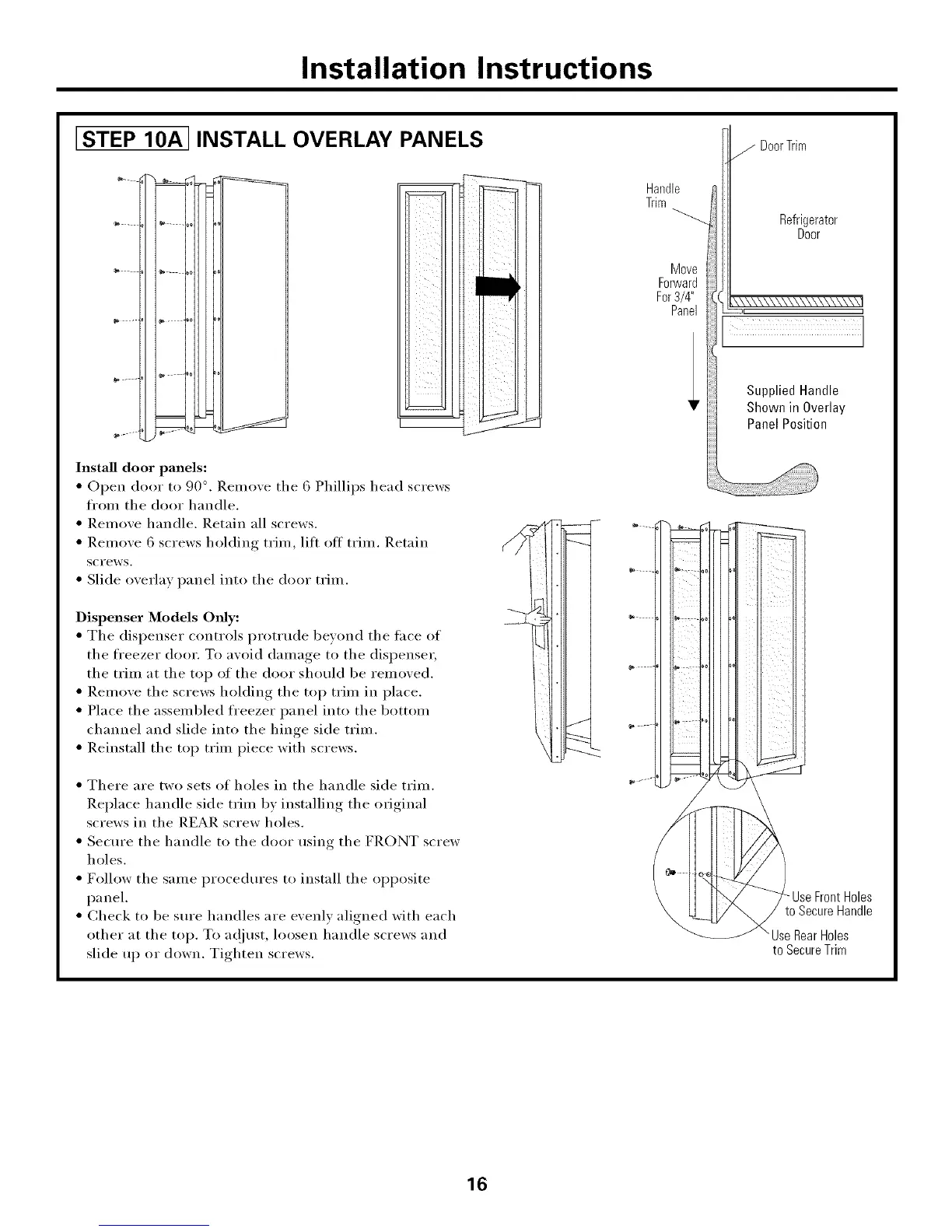
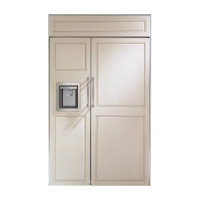
Install door panels:
• Open door to 90 °. Relnove tile 6 Phillips head screws
fl'om tile door handle.
• Remove handle. Retain all screws.
• Remove 6 screws holding trim, lift off trim. Retain
scFews.
• Slide overlay panel into tile door trim.
Dispenser Models Only:
• Tile dispenser controls protHide bewmd tile lace of
the fl'eezer door. To avoid damage to the dispenser,
the trim at the top of the door should be removed.
• Remove the screws holding the top trim in place.
• Place the assembled fl'eezer panel into the bottom
channel and slide into the hinge side trim.
• Reinstall the top trim piece with screws.
• There are two sets of holes its tile handle side trim.
Replace handle side trim by installing the original
screws in the REAR screw holes.
• Secure the handle to the door using the FRONT screw
holes.
• Follow tile same procedures to install tile opposite
panel.
• Check to be sm'e handles are evenly aligned with each
other at tile top. To a_!iust, loosen handle screws and
slide up or down. Tighten screws.
Handle
Trim
Move
Forward
For3/4"
Panel
DoorTrim
Refrigerator
Door
Supplied Handle
Shown in Overlay
Panel Position
Use Front Holes
to Secure Handle
UseRoarHoles
to SecureTrim
16








 To Next Page