07
1.SelectPresets
GE150has200presetslots.
InPLAYmode,press▲、▼footswitchesorturntheVALUEknobtoswitchbetweendifferentpresets.
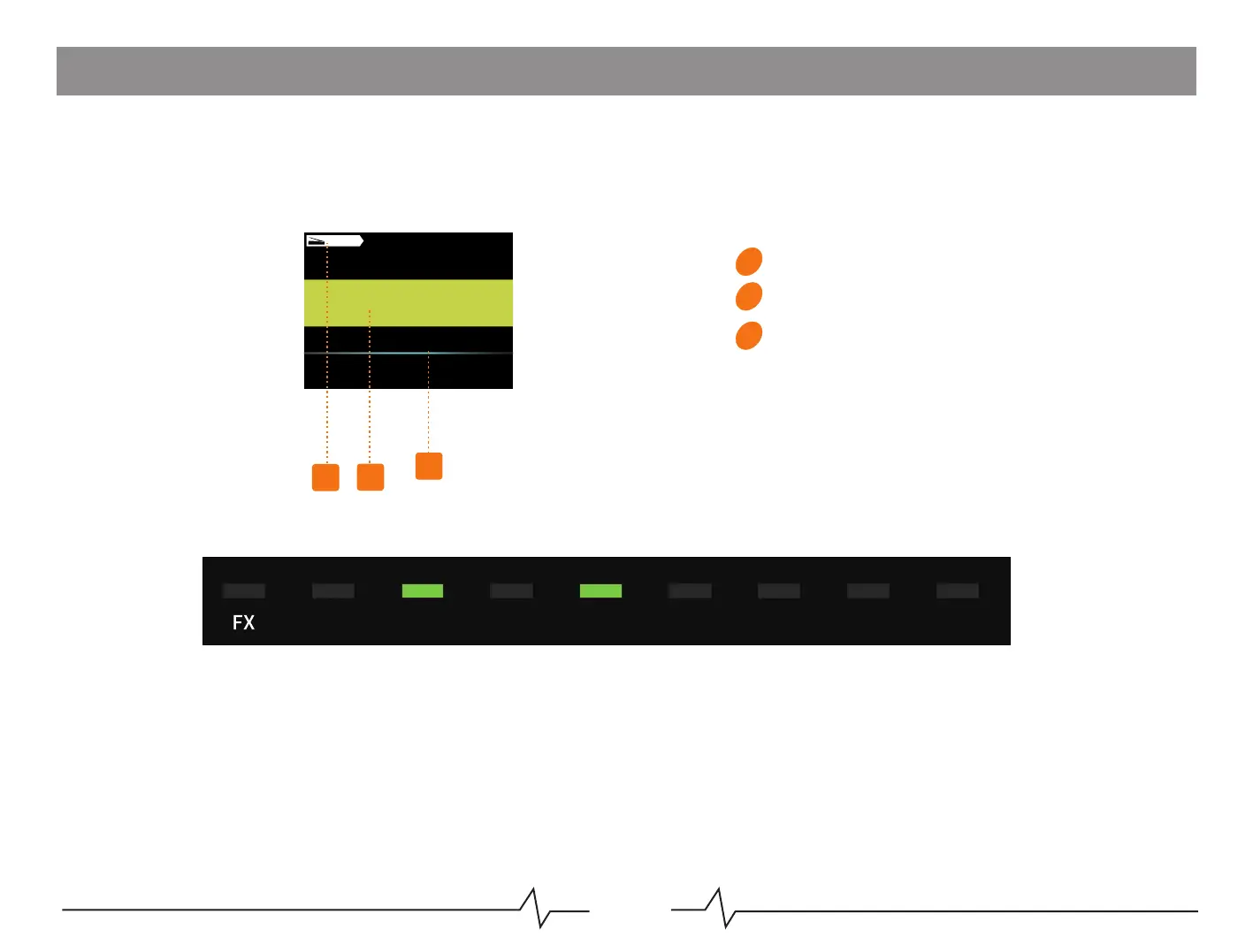
PresetNumber
PresetName
Expresspedalcontrolvalue
Notice:Youwillseetheeffectblockslightuptoindicateeffectschainsettingsoncurrentpreset.
Fourtypesofpresetpacks:
●P001-P050withAMPandCABactivated.ItisrecommendedtohaveAMP/CABmodulesactivatedwhenconnectingto
full-rangedevices(headphones,soundcard,mixer,full-rangespeakers,etc.).
●P051-P100withAMPenabled.Itisrecommendedtoconnecttotheguitarspeaker'sRETURNinterfaceorlater.
●P101-P150withAMPandCABoff.ItisrecommendedtodirectlyconnecttotheINPUTofthespeaker.
●P151-200areemptyslotsforusers'editing.
Display
01
02
03
DS/OD
01
02
03
150
P001
GE



 To Next Page