LEF T/MO N O
RIG HT
9V 3 00m A
06
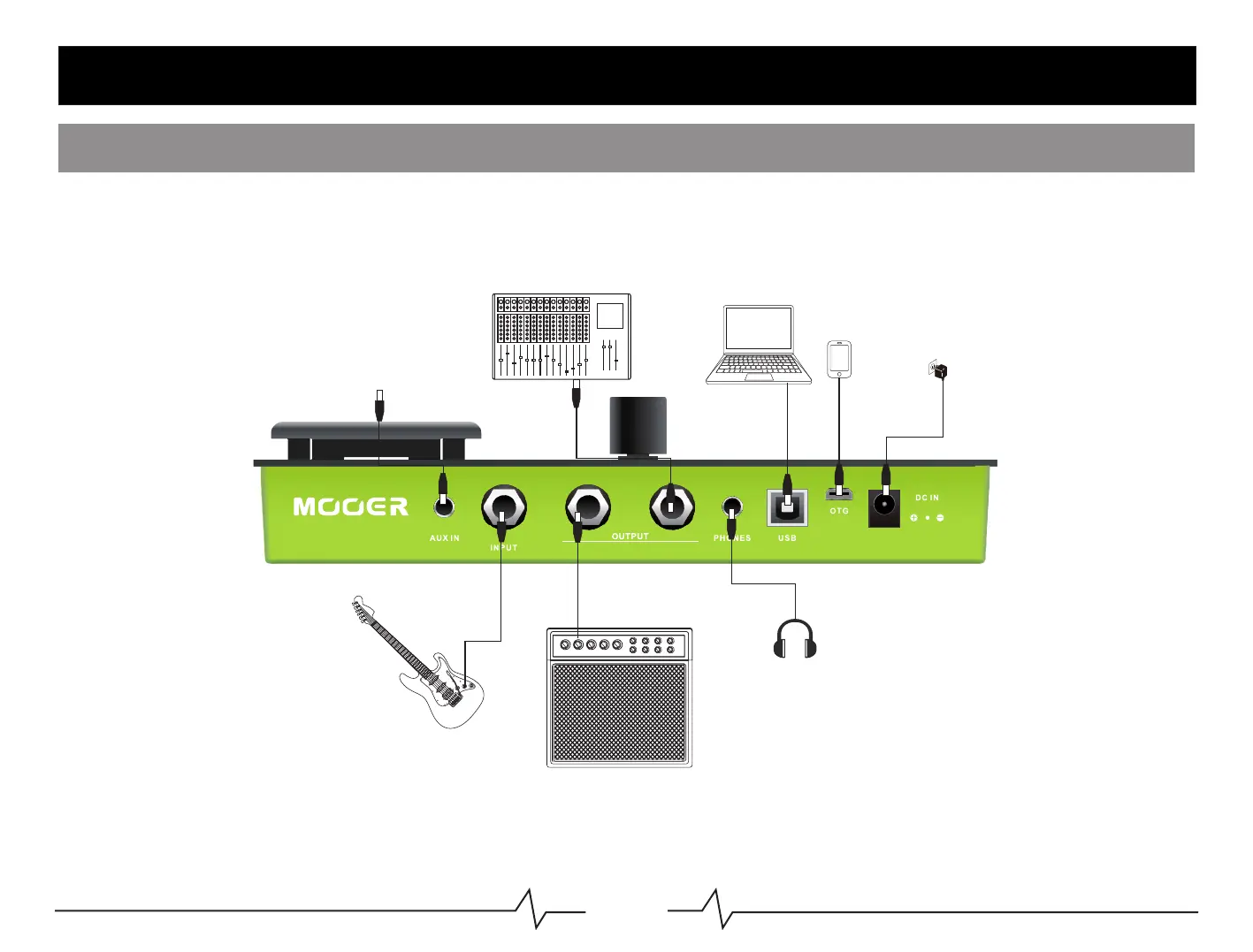
ConnectyourguitartotheINPUTjack.
ConnecttheGE150toyourdesiredequipment(Amplifier,audiointerface,mixer)
Connectthepowersupply(9VDC,1A)totheDCINport.
Guitar
Smartphone
Headphone
Smartphone/audiodevice
Mixer
Notice:TurnoffAMP,CABmoduleswhenconnectingtoamplifierINPUT.
TurnoffCABmodulewhenconnectingtotheRETURNofamplifier.
TurnonAMP,CABmoduleswhenconnectingFRFRamplifier.
Start
Controls
Computer
Amp
Powersupply



 To Next Page