www.miinet.comMoore Industries-International, Inc.
- 81 -
User’s Manual
238-741-00K
May 2019
Programmable Smart HART Temperature Transmitter
THZ
3
/ TDZ
3
SECTION 5
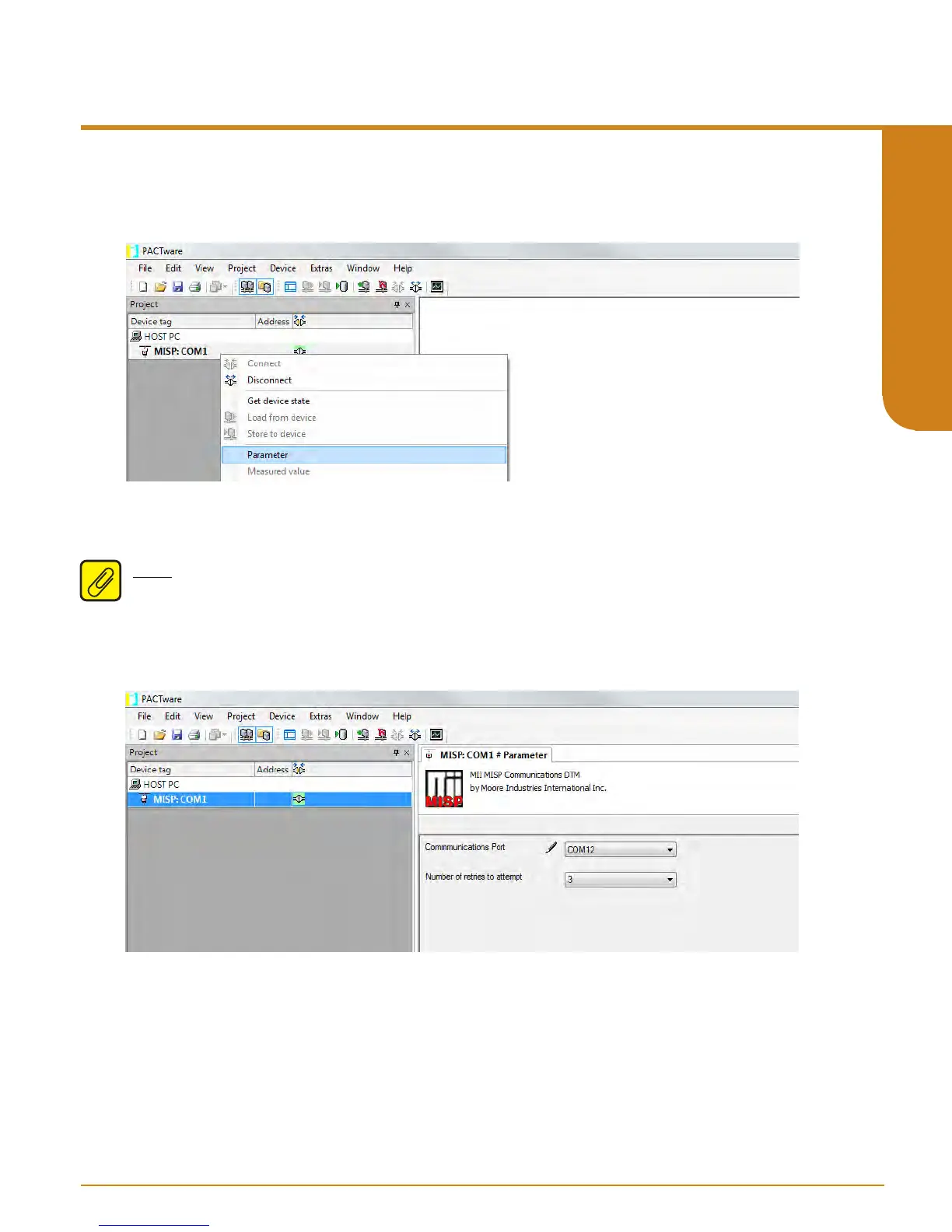
5. Right Click on COM1 and select “Parameter”.
Figure 5.6. Adding the MII MISP Communication DTM.
Figure 5.7. Selecting correct COM port for the MII MISP Communication DTM.
6. In the Communications Port drop-down menu select the actual COM port which your Fuse
Protected USB Communications Cable is connected to click “Apply” then “Ok”.
Note: You need to be certain to click apply when making these changes. Once the correct
COM Port is selected and you have applied it to parameters the small Pencil icon will disappear.
If Pencil icon is still visible, it indicates that the change has not been applied to device.



 To Next Page