TOUCHSCREENOPERATION
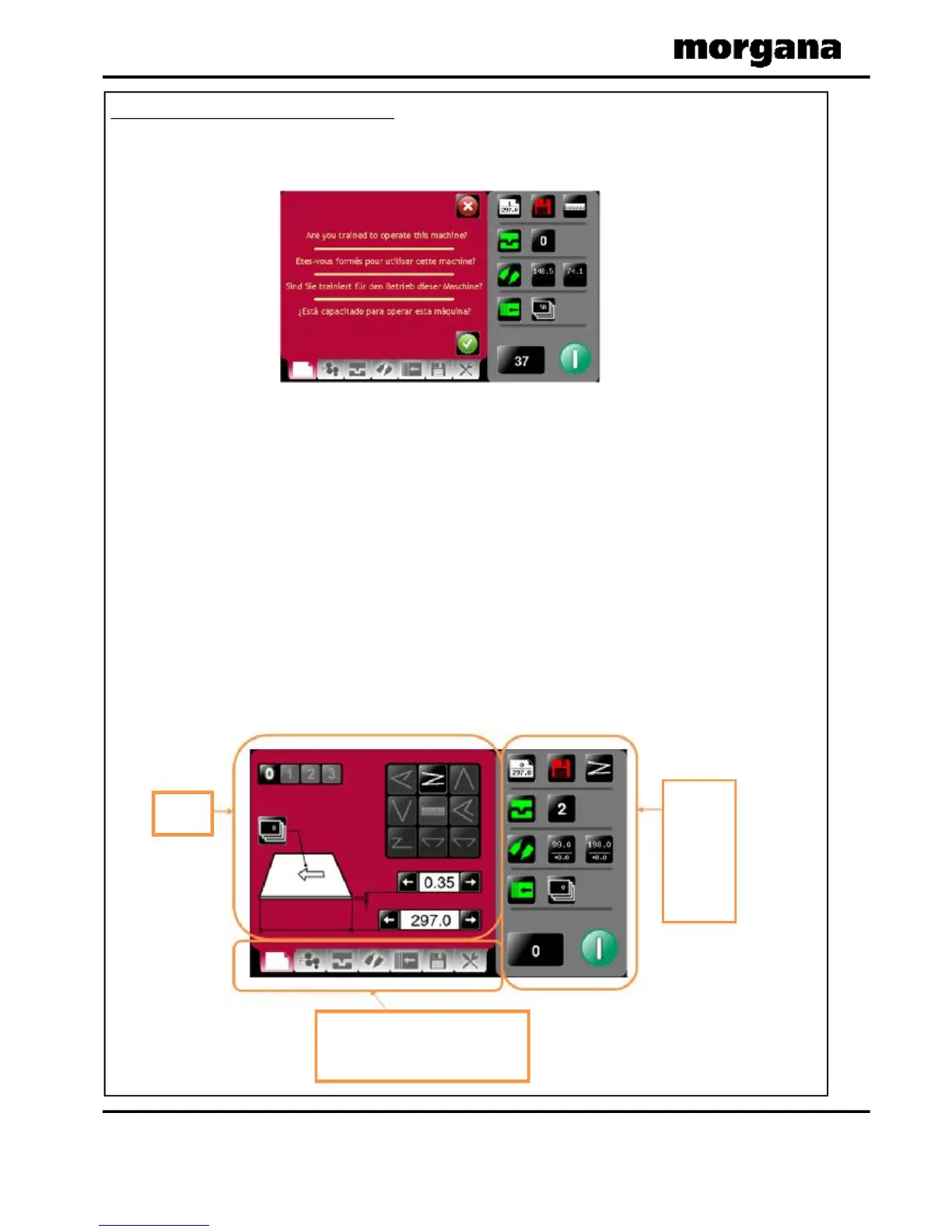
1.TurntheEmergencyStopbuttonclockwisetoswitchthepoweron.Afterthe
systemstartupprocedurethetouchscreenwillbedisplayedasshownbelow.
WARNING:-
Waitatleast10seconds,aftermakinganyselectionontheTouchscreen
panel,beforeswitchingthemachineOFF.Failuretodosocouldresultinthe
datastoragebeingcorrupted,andthemachinenotoperating.
Thetouchscreenislaidoutinto3mainareasasshownbelow:
Page14
FOLDING
Statusof
machine
&
dataentry
area.Also
usedfor
quicklinks
tosetting
pages.
Setting
page
Tabstoenableswitchingbetweensetting
pages
-
chooseeitherPaper
Settings,Gap
settings,CreaseSetting,Foldsettings,
Deliverysettings,StoreandTools.
OperatingtheDigiFoldPro
IMPORTANT.
Ifyouhavenotbeentrainedtooperatethismachine,westronglyadvisethatyouselect
theredcrossicon.
Werecommendthatyoueitherseektrainingoraskatrainedoperatortorunthemachine
foryou.
Selectthegreentickicononlyifyouhavebeentrainedtooperatethismachine.
Ifyouhavenotbeentrainedtooperatethismachineandyouselectthegreentickicon,
MorganaSystemsLtdacceptnoresponsibilityforpersonalinjury,damagetothe
machineordamagetomaterialsbeingprocessedbythemachine.



 To Next Page