TroubleShooting
Page50
ErrorScreens
Sheetdidnotarrive.
PaperCrunch
DoubleSheetFeed
BladeNotHome
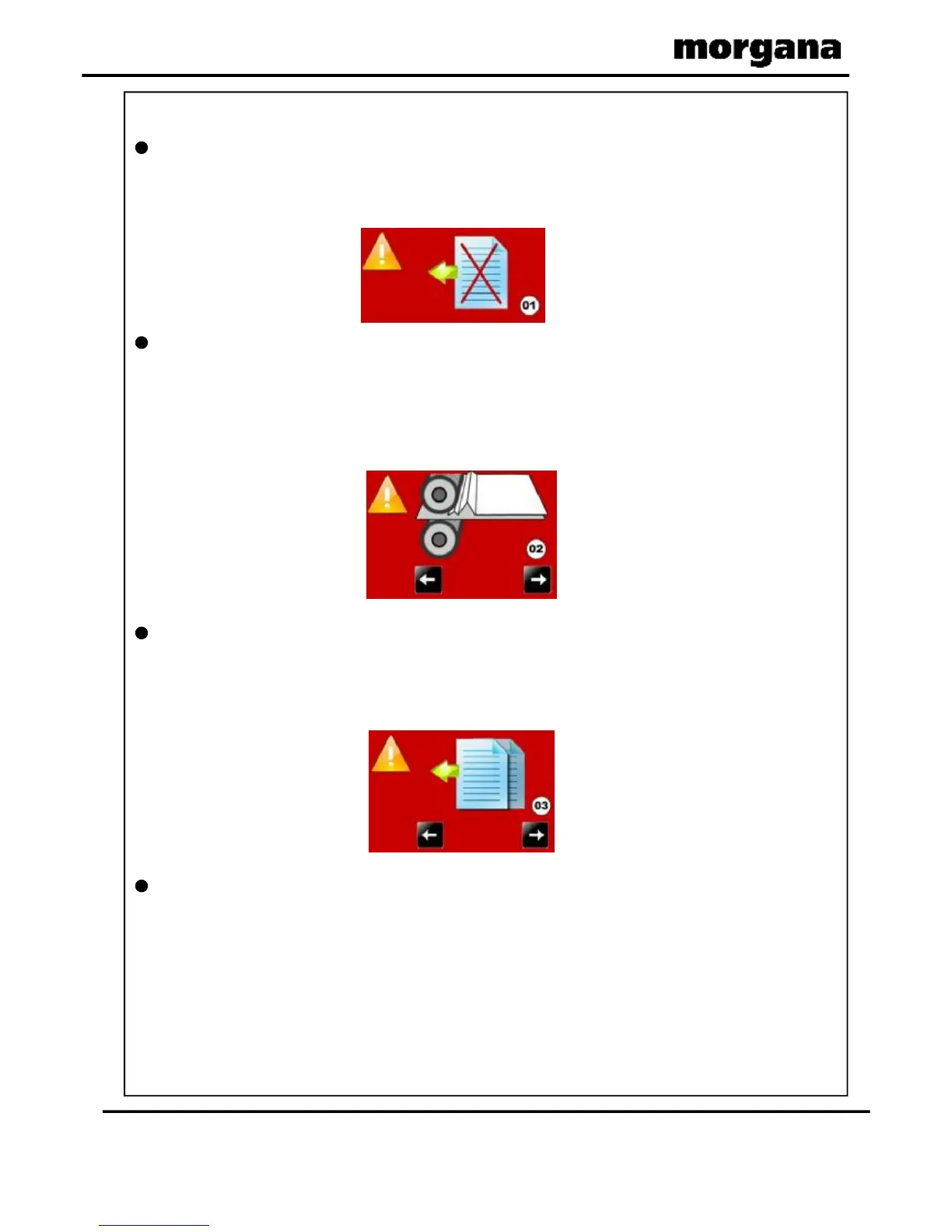
Ifthemachinestopsanderrormessage01isdisplayedonthetouchscreen,this
indicatesthatthepaperdidnotarriveattheendofthesuckprocess;sothemachine
timedout.Pressthegreentickbuttonandthenpressthestartbutton.
Ifthemachinestopsanderrormessage02isdisplayedonthetouchscreen,this
indicatesthatapaperjamhasbeendetected.
Pressthesystemswitchdownandthenselecttherightorleftarrows,toinchthe
paperforwardsorbackwards.Seepage39thatdescribeshowtoremovepaperjams.
Pressthegreentickbuttonandthenpressthestartbutton.
Ifthemachinestopsanderrormessage03isdisplayedonthetouchscreen,this
indicatesthatadoublesheetfeedhasbeendetected.Checkthatthepapergatehas
beensetcorrectly.Pressthegreentickbuttonandthenpressthestartbutton.
Ifthemachinestopsanderrormessage04isdisplayedonthetouchscreen,this
indicatesthatthelowerblade/anvilhasnotmadecontactwiththeHOMEswitch.
i.e.bladestillintopposition.Switchthemachineoffandremovethebladesetand
ensurethattheareaisfreefromobstructions.Returnthebladesettothecreasingunit
andswitchthemachineon.Operatethemachineinthenormalsequence,ifthe
displaycontinuestoreaderrormessage04itisadvisedtocontactaServiceEngineer
immediately.
FOLDING



 To Next Page