Operation
C2 Contour Air Drill August 2014 5-11
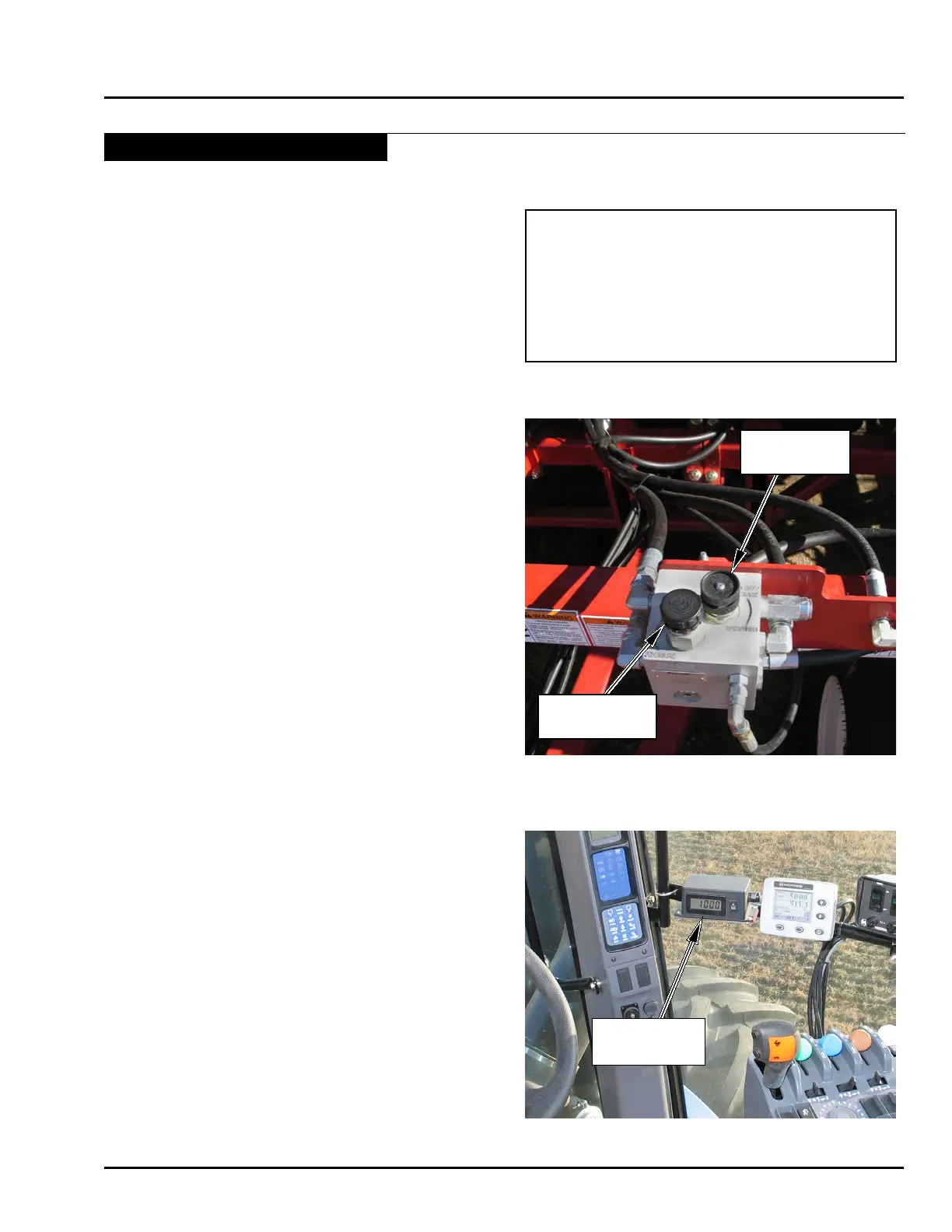
PRESSURE
GAUGE
Important
The “Operating” valve must be set to the
“Bleed Off / Service” Position in order to lower
accumulator pressure with openers in operating
position.
Opener Operation - Continued
Pressure Adjustment (On the go)
Pressure can be changed on the go to adjust for variable
eld conditions by using the tractor remote.
In order to lower the accumulator pressure on the go,
the “Operating” valve must be turned out to the bleed-
off/service position.
Note: Operating pressure may drop more than
the 100 psi (689 kPa) described under
“Setting Maximum System Pressure” when
the “Operating” valve is set to the bleed-
off/service position. This is dependant on
tractor valve leakage.
• Screw “Operating” valve out to open position for “on
the go” pressure adjustment.
Operate the openers as usual:
• With the Contour Air Drill moving forward, lower
openers into the ground. Hold tractor hydraulic
lever until the maximum preset operating pressure is
reached (see “Setting Maximum System Pressure”).
This ensures that all of the openers are fully charged
and engaged.
To reduce operating pressure on the go:
• Place tractor hydraulic lever into “Float Position” until
pressure drops to desired operating point.
• Release hydraulic lever once desired pressure is
reached.
Note: If pressure drops too rapidly when tractor
remote is put into oat, the “Operating” valve
can be turned in a few turns to reduce bleed-
off speed.
To increase operating pressure:
• Operate tractor hydraulic lever to increase pressure
to desired operating point.
OPERATING
VALVE
PRESSURE
ADJUSTMENT



 To Next Page