SECTION 2
13
Applying Power
1. Plug the power cord into an AC wall outlet and into the back of the ELI 230. (Reference Figure 1-3.)
Device powers on automatically and cannot be turned off when AC is connected (device can be put
into standby mode).
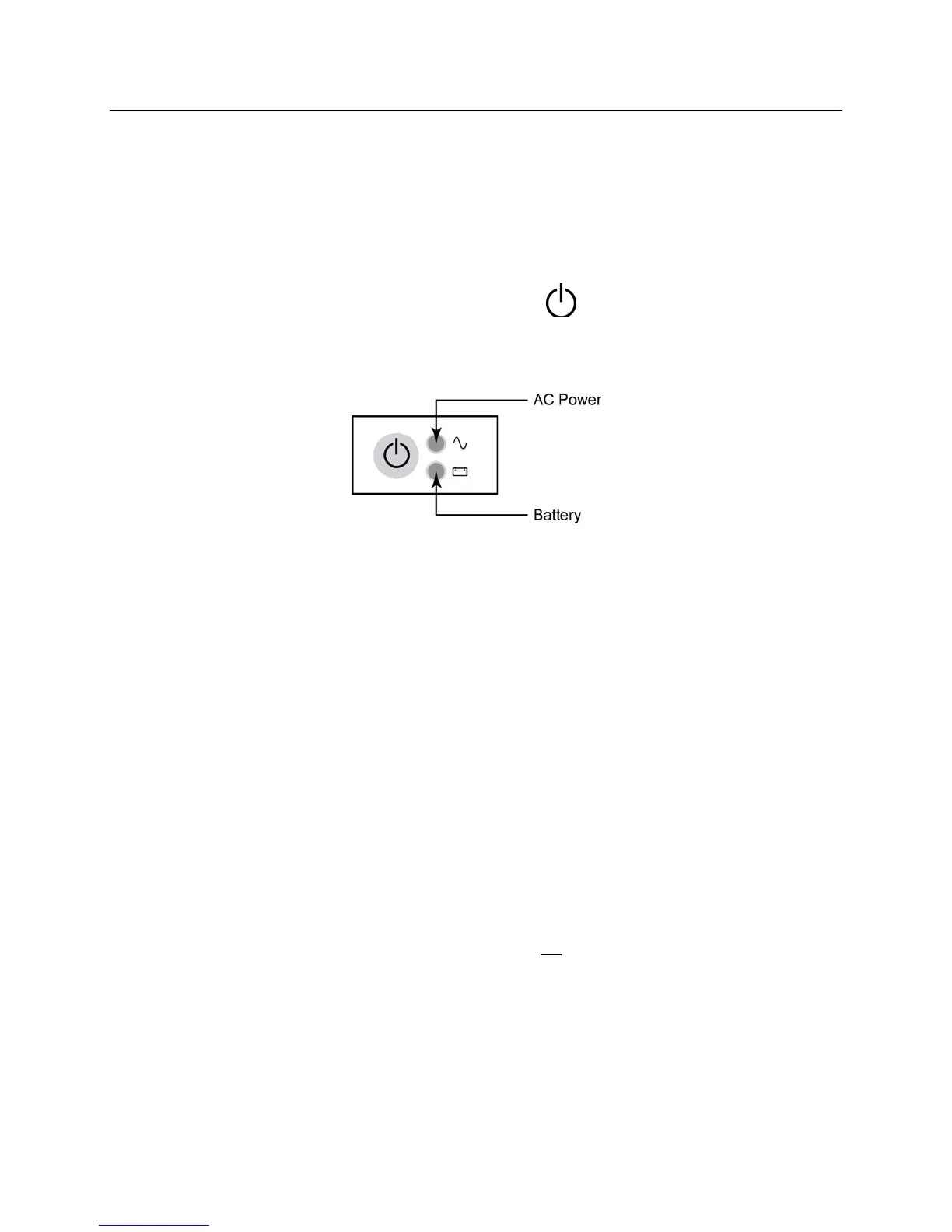
2. If using battery power, press the power ON/OFF button
located on the face panel of the device.
(Reference Figure 1-5.)
Indicators on the keyboard will illuminate as follows:
• The AC power LED indicator illuminates when device is connected to mains (AC power).
• The battery LED indicator illuminates when charging and flashes when battery is low; it will turn off when
the battery is fully charged.
The ELI 230 should be connected to AC power for recharging when not in use.
TIP: Check battery voltage by selecting MORE followed by CONFIG.
NOTE: For typical usage, battery charging time should be approximately 6 hours or less.
NOTE: There are configurable features on the ELI 230 that can be used to help prolong battery life (see
Section 4). Proper battery care and maintenance will also help prolong battery life.
Low Battery Conditions
To prevent permanent damage to the internal lead-acid battery, the device will automatically power down when the
battery has been depleted to its lowest allowable level. When the device detects that the battery voltage has been
depleted to this level, it will display the messages “Battery Low – Charge Unit” for 10 seconds before shutting
down. Plugging in the AC cord during this time will cause the unit to return to the main acquisition screen.
If the device is in the ECG acquisition mode when the battery voltage is detected at its lowest allowable level, the
unit will display the message “Battery Low – Charge Unit”, but will not
automatically shutdown until the user exits
the ECG acquisition mode. This allows the user to complete an ECG already in progress.


 To Next Page