SECTION 3
26
Acquiring an ECG using the WAM
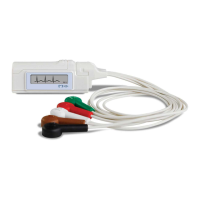
Use the LED indicators to check electrode-to skin impedance and verify patient hookup quality, as well as to ensure
communication has been established with the electrocardiograph and the signal quality of each ECG is transmitted
as expected. A yellow LED indicates a lead fail condition.
1. Ensure an AA battery is in the battery compartment. If battery voltage is too low, the WAM may not
power on. Insert a new AA battery into the device to continue operation.
2. Press the On/Off button to turn the WAM on.
3. Connect the patient to the WAM lead wires (see Patient Hookup in the recording device user manual).
4. ECG data should be automatically transmitted to the recording device.
5. Enter patient information at the recording device.
6. Press the 12-Lead ECG Acquisition button to complete the acquisition of the 12-lead ECG.
7. Press the Rhythm Print button to acquire a rhythm print; press the Rhythm Print button again to stop the
rhythm print.
NOTE: During normal operation, the green LED will display continuously.
NOTE: If the battery cover is opened during transmission, the WAM will stop transmitting. The battery
must be reinserted and the cover must be applied to resume operation.
8. At the end of the ECG acquisition session, the WAM should be turned off. ECG data may now be
reviewed, plotted, or edited as needed at the electrocardiograph
NOTE: To perform a STAT ECG using the WAM paired with an ELI 230 electrocardiograph, user must
select STAT at the electrocardiograph to continue.
Acquiring Rhythm Strips
Rhythm strips are printed in the format defined in the configuration (3, 6, or 12 channel). See Section 4 for
instructions to configure rhythm leads.
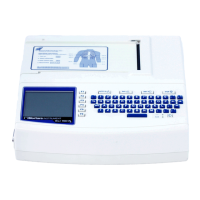
Begin routine rhythm strips by connecting the patient to the ELI 230 and entering the patient data. Once completed,
select DONE to return to the real-time ECG view. Select RHY
to begin rhythm printing. You can also acquire a
rhythm printout by selecting RHY without entering the patient data.
NOTE: Rhythm printouts are only possible from the real-time ECG view.
NOTE: Rhythm acquisitions are only printed and not stored in the ELI 230.
The rhythm activity screen appears as soon as the writer begins printing the rhythm strip. The waveform display
format is similar to the real-time ECG view; however, new functions keys are available during rhythm printing.


 To Next Page