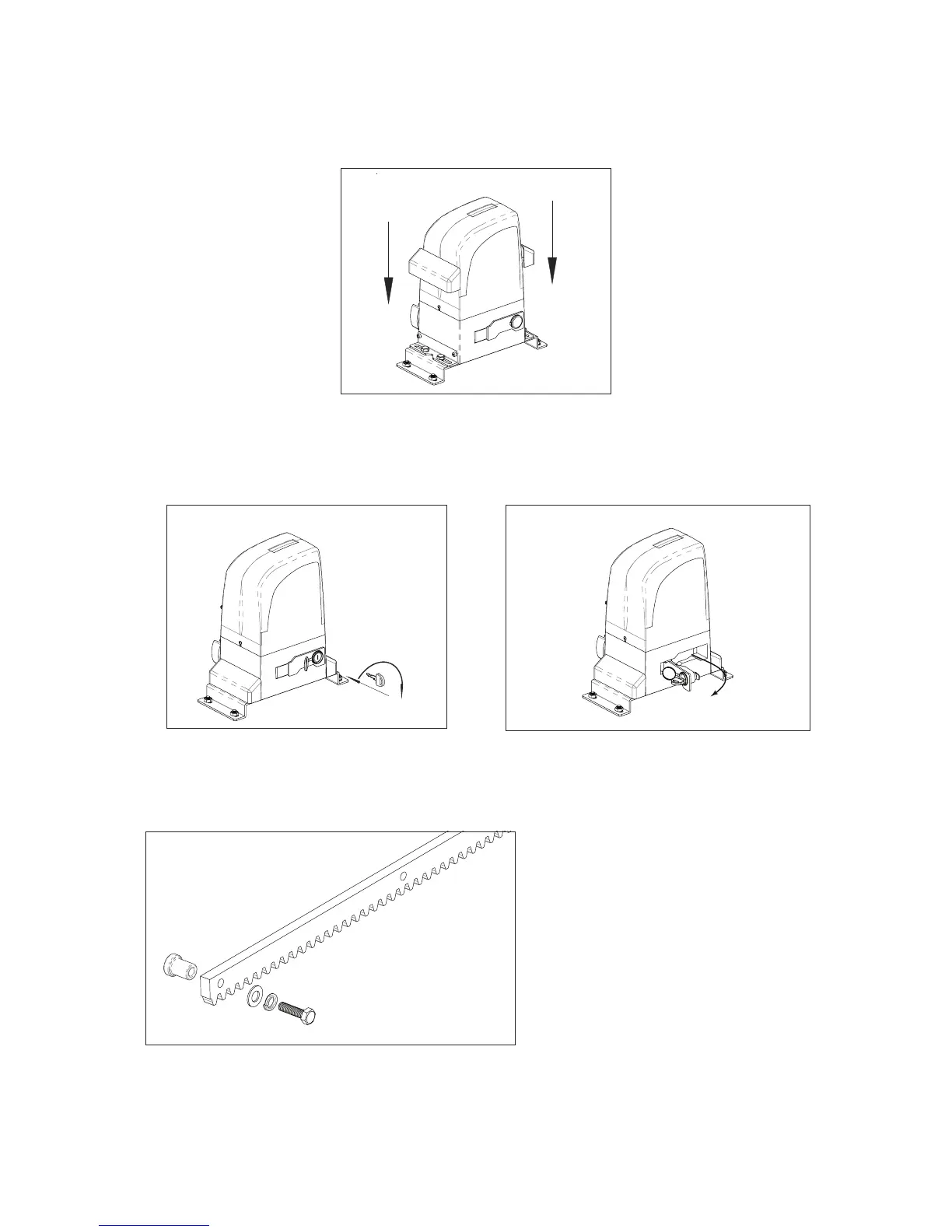
Fig. 17
Fig. 18 Fig. 19
Fig. 20
- Prepare the rack to be applied. Putting
these spacers in all holes of the rack in
order to be completely secure.
After the upper-cover xed, please install the side-cover (Fig. 17).
7.7. Releasing the operator
Prepare the operator for manual operating mode as described below:
Insert supplied key on the lock, turn it clockwise 90° (Fig.18), pull and open the manual release (Fig.19).
7.8. Installing the rack
a) Manually put the gate leaf in the closed position.
b) Positioning the rst rack part to be bolted, supported on the pinion and with help of the level and
clamping tool, keep it horizontally leveled.
After opened the manual release, you can operate the door manually.
Pág. 08



 To Next Page