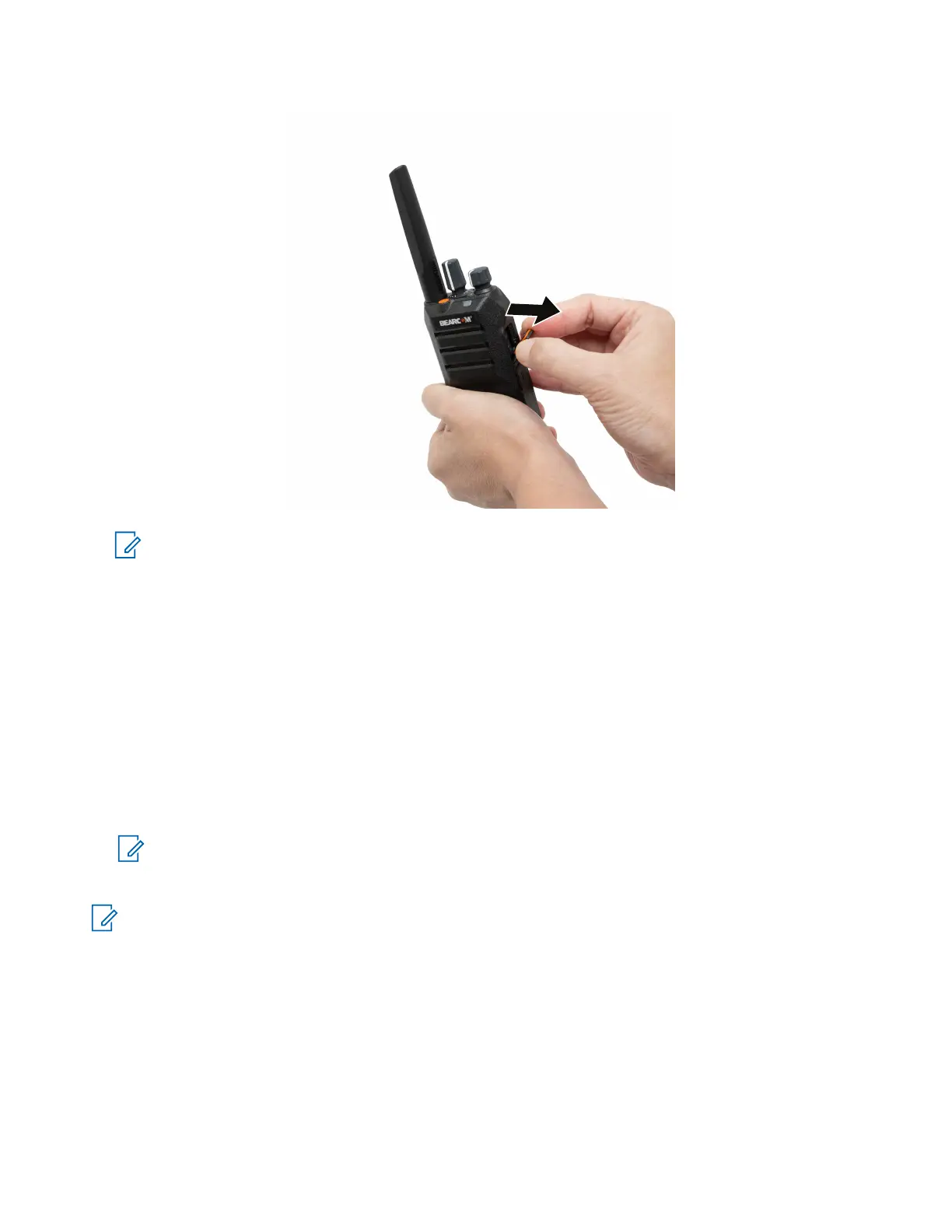
NOTE:
Open the dust cover when attaching the audio accessory, charging cable, or programming cable.
Close the dust cover when you are not charging, programming, or when the audio accessory is not
in use.
3.9
Turning the Radio On
Procedure:
Turn the On/Off/Volume knob clockwise until a click sounds.
Result:
If your radio is turned on, your radio shows the following indications:
● A tone sounds.
NOTE: If the Tones/Alerts function is disabled, no tone sounds.
● The green LED illuminates.
NOTE:
If your radio fails to turn on although your battery is charged and properly attached, contact your dealer
for assistance.
3.10
Turning the Radio Off
Procedure:
Turn the On/Off/Volume knob counterclockwise until a click sounds.
MN010576A01-AA
Chapter 3: Getting Started
18







 To Next Page