Chapter 2
Radio Overview
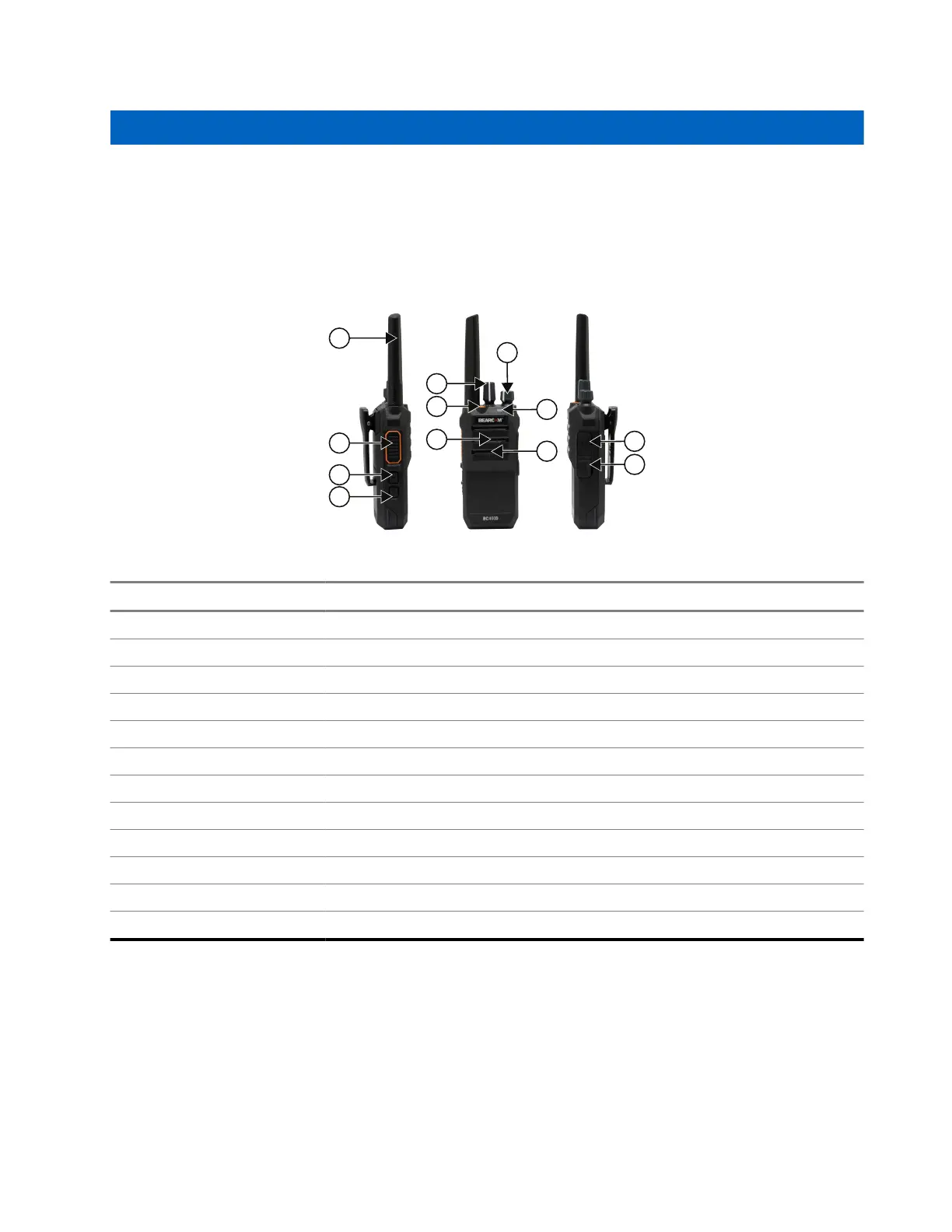
Figure 1: Radio Overview
Action Description
1 Antenna
2 Push-to-Talk (PTT) Button
3 Programmable Side Button 1
4 Programmable Side Button 2
5 Channel Selector Knob
6 Emergency Button
7 Speaker
8 On/Off/Volume Control Knob
9 LED Indicator
10 Microphone
11 Accessory Connector
12 USB-C Connector (Charging and Programming)
2.1
Programmable Buttons
Depending on the duration of a button press, the programmable buttons function differently.
MN010576A01-AA
Chapter 2: Radio Overview
9







 To Next Page