Operating the MC50 2 - 13
Beeper Indicator
The beeper on the mobile computer provides an audible indication for the scan status.
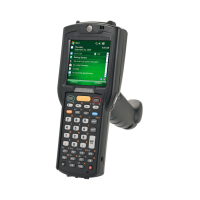
Data Capture
The MC50 offers three types of data capture options:
•
Linear scanning
•
Imaging
•
Image Capture.
Figure 2-8
Data Capture Configurations
LED 2
Green Programmable
Red Programmable
Table 2-5
Mobile Computer LED Indicators (Continued)
LED Indication
Table 2-6
Beeper Indicator
Beeper Indication
Standard Use
Low/medium/high beep Power up.
Short high beep Bar code decoded (if decode beeper enabled).
4 long low beeps Transmission error detected; data is ignored.
Parameter Menu Scanning
Low/high/Low/high beep Successful parameter setting.
High/low beep Correct programming sequence performed.
Low/high beep Incorrect programming sequence or Cancel bar code scanned.
Camera
Imager
Linear Scanner



 To Next Page
 Loading...