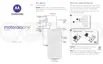
Customize quick settings
You can rearrange quick settings, putting your most used at the top. You can also add or remove them.
1. Open quick settings.
2.
Tap .
3. Drag to add, remove, or rearrange.
To return quick settings to its original state, tap > Reset.
Tip: You can also change the background color to be light or dark.
Learn the basics : Get around on your phone 40














 To Next Page