EasyManua.ls Logo

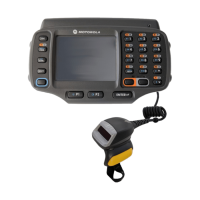
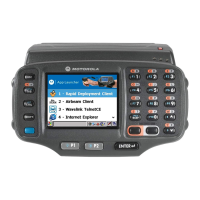
Motorola WT4070 - User Manual

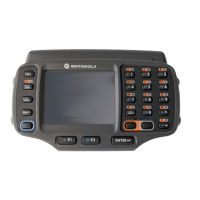
Motorola WT4070
114 pages
Print Icon
To Next Page IconTo Next Page
Loading...
WT4070/90 Wearable Terminal
User Guide

Table of Contents

Other manuals for Motorola WT4070

Questions and Answers

  • C
    Caleb SimonAug 12, 2025
    How to fix a Motorola Touch terminal that does not turn on?
    • K
      Kyle RobertsAug 12, 2025
      If your Motorola Touch terminal doesn't turn on, it might be due to a discharged lithium-ion battery. Try charging or replacing the battery. Another possibility is that the battery isn't installed correctly; ensure it's properly installed. If the issue persists, the system may have crashed, in this case try performing a warm boot. If that doesn't work, perform a cold boot.
  • T
    Tiffany BaxterAug 19, 2025
    Why is my Motorola Touch terminal rechargeable battery not charging?
    • K
      Kimberly GarzaAug 20, 2025
      If the rechargeable lithium-ion battery of your Motorola Touch terminal isn't charging, the battery might have failed and needs replacement. If replacing the battery doesn't solve the issue, try a warm boot, then a cold boot. Also, ensure the terminal remains in the cradle while charging; the standard capacity battery charges fully in under four hours, and the extended capacity in under eight. The ambient temperature of the cradle may also be a factor; move the cradle to a location where the temperature is between 0 °C and 40 °C (32 °F and 104 °F).
  • A
    April BurkeAug 27, 2025
    What to do if my Motorola Touch terminal transmits incomplete data?
    • K
      Kimberly MossAug 27, 2025
      If data transmission is failing on your Motorola Touch terminal, ensure the device remains in the cradle or the synchronization cable is attached during communication, then re-transmit. The cable configuration might be incorrect, consult the System Administrator. Also, the communication software may be incorrectly installed or configured; perform setup referring to the WT4090 Integrator Guide for details. Finally, ensure that Microsoft ActiveSync 4.5 or greater is installed on the host computer.
  • M
    Michael SuarezSep 3, 2025
    How to fix no sound on a Motorola Touch terminal?
    • G
      Gina CarrSep 3, 2025
      If no sound is audible from your Motorola Touch terminal, the volume setting might be too low or turned off. Adjust the volume by selecting Start > Settings > Control Panel > Volume & Sounds icon > Volume tab and move the slider. Alternatively, use the volume control on the voice application.

Motorola WT4070 Specifications

General IconGeneral
CategoryTouch terminals
ManufacturerMotorola
ModelWT4070
Operating SystemWindows CE
Memory128 MB RAM
Touch PanelTouchscreen
Connectivity802.11 a/b/g, Bluetooth
Scanning1D/2D barcode scanning
AudioSpeaker and microphone
BatteryRemovable 3.7V, 2200 mAh Li-ion battery
Operating Temperature-10°C to 50°C

Related product manuals