Operation Section
50
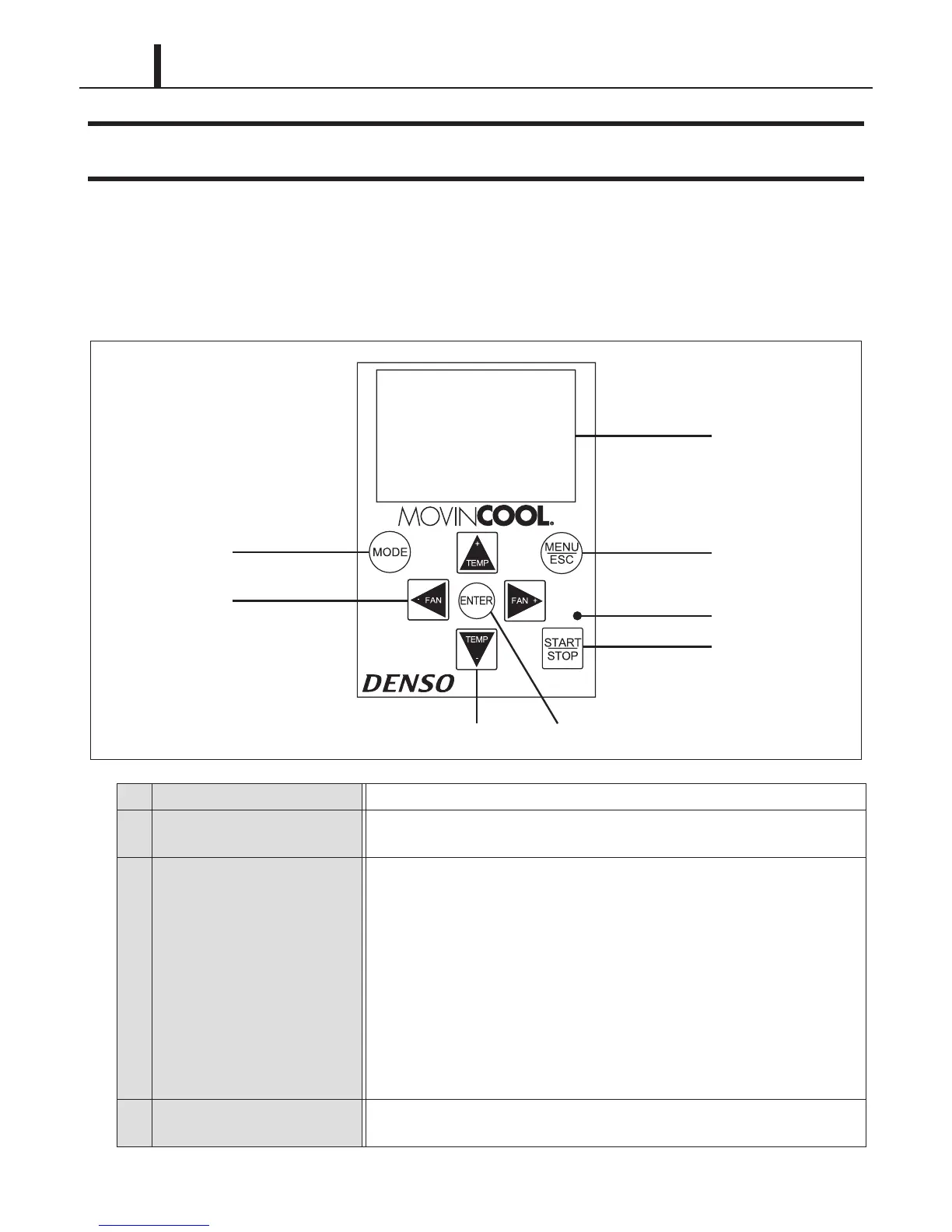
7. CONTROL PANEL
7.1 Control Panel and LCD Indicators
• Refer to the OPERATION MANUAL supplied with the unit for daily operation.
(1) Control panel
1 START/STOP button Start or stop the unit operation.
2 LED
Illuminate in Orange color for Self-Diagnostic and Standby mode, in Green color
for normal operation.
3 MODE button
Select operation mode (FAN ONLY, COOL, and HEAT).
FAN ONLY : Fan operates continuously.
COOL : Once the room temperature reaches the set point temperature, the
unit operates in FAN ONLY mode. When switched from HEAT to
COOL mode operation, the unit initially operates in FAN ONLY
mode.
HEAT : Once the room temperature reaches the set point temperature, the
unit stops. When switched from COOL to HEAT mode operation,
the unit stops until the compressor operates. When FAN mode is
set to AUTO, the fan operates within 1 minute after the compressor
operates.
4 MENU/ESC button
Display the menu selection screen or to escape from the menu selection
screen.










 To Next Page