Repair Section
71
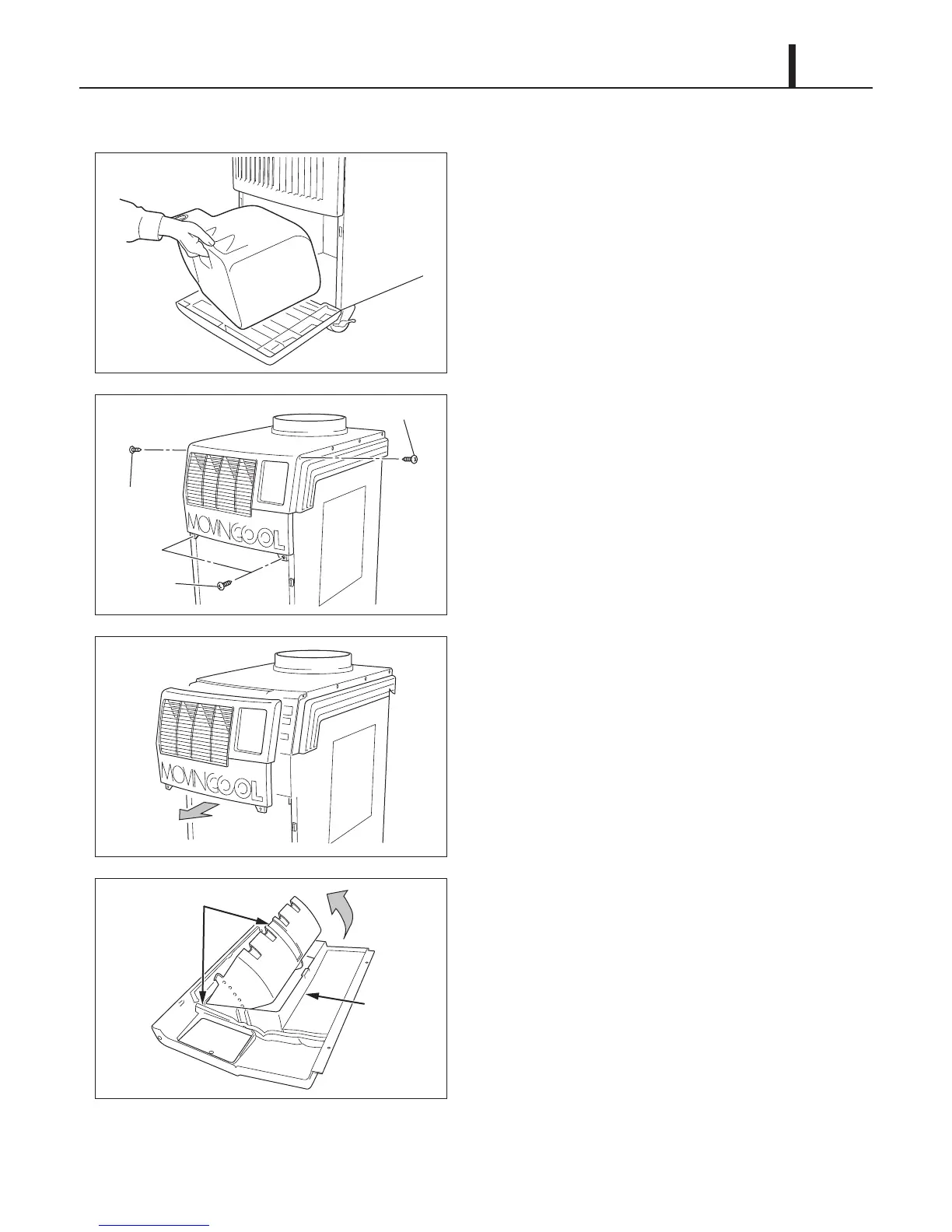
9.2 Removal of Panels
1) Remove the drain tank.
2) Remove four (4) screws from the upper front
panel.
3) Slide the upper front panel forward and remove.
4) Louver can be removed from the upper front
panel by unsnapping the lock tap and removing
the louver from its pivots.
I002203
ILL00892-00
Screw (1)
Screw (1)
Screws (2)










 To Next Page