NPort 5000 Series User Manual
NPort IA5000 Series (DIP Switches)
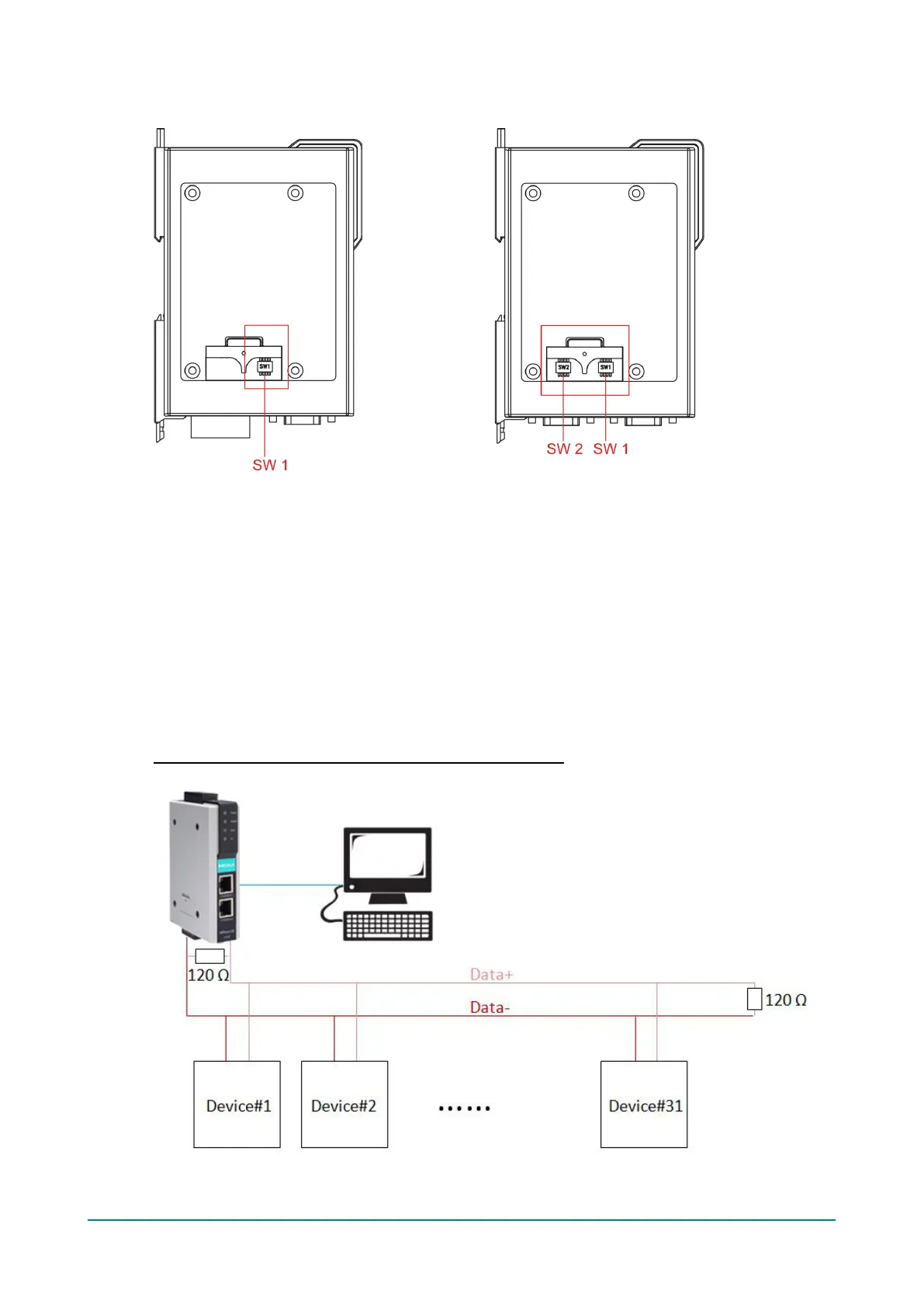
The DIP switches are located beneath the DIP switch panel on the side of the unit.
To add a 120 Ω termination resistor, set switch 3 to ON; set switch 3 to OFF (the default setting) to
disable the termination resistor.
To set the pull high/low resistors to 150 KΩ, set switches 1 and 2 to OFF. This is the default setting.
To set the pull high/low resistors to 1 KΩ, set switches 1 and 2 to ON.
Switch 4 on the port’s assigned DIP switch is reserved.
When setting up your RS-485 and RS-422 networks, you should use termination resistors to prevent signal
reflections. The NPort IA5000 Series has built-in pull high/low resistors and terminators, so you can consider
to enable them when has a communication problem by the default settings with RS-485 and RS-422
networks. The following figures illustrate how to properly configure termination for a 2-wire RS-422/RS485
network, and a 4-wire RS485 network. You will usually only need to install termination resistors (typically
120 Ω) on the first and last devices on your network.
Setting up terminators for a 2-wire RS422/RS485 network


 To Next Page
 Loading...