NPort 5000 Series User Manual
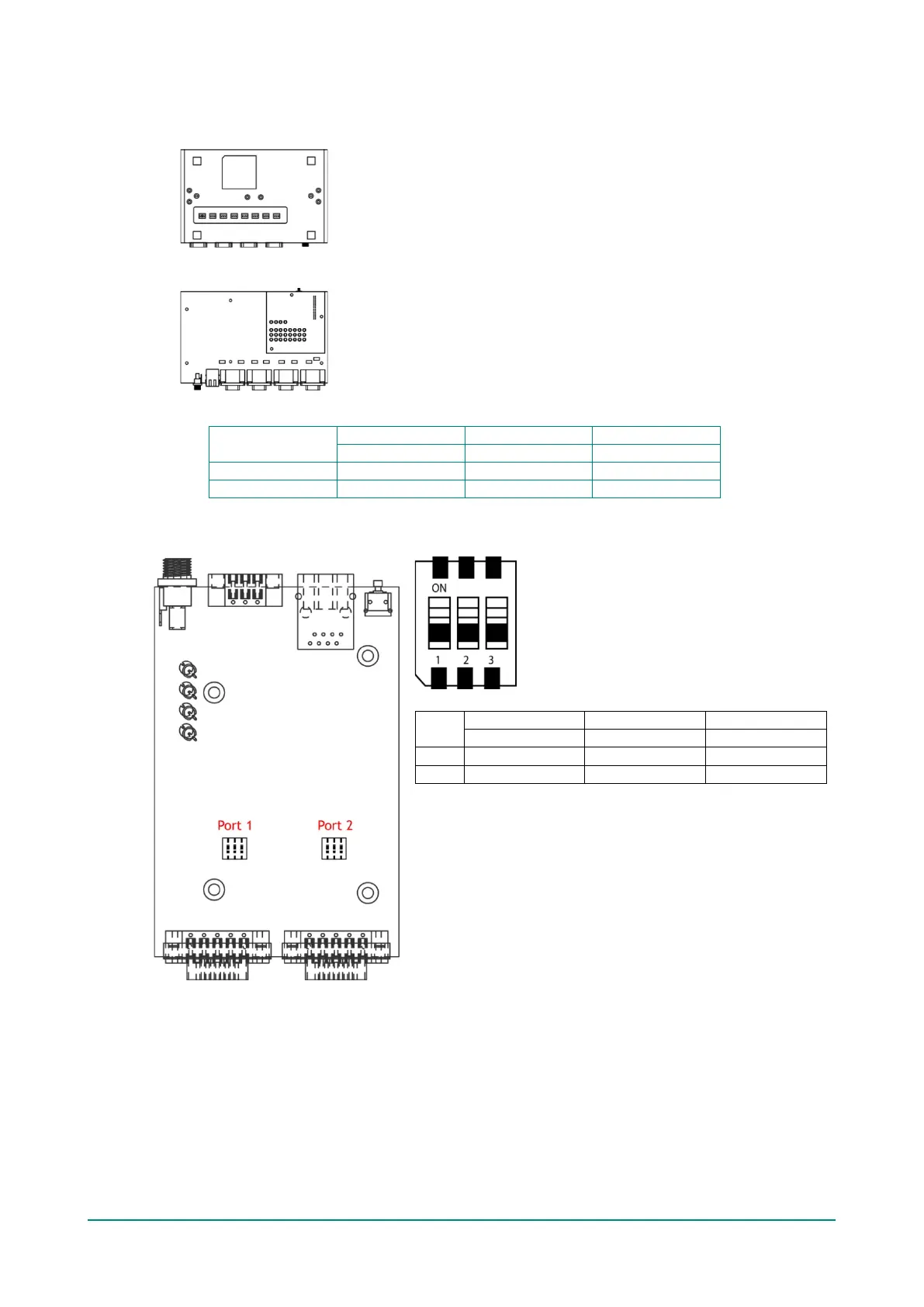
NPort 5650-8-DT/DTL Series (DIP Switches)
• NPort 5650-8-DT: Use the DIP switches on the bottom panel to configure each device port’s pull
high/low resistors. You will need to unscrew the DIP switch cover to access the DIP switches.
• NPort 5650-8-DTL: Remove the top cover to access the DIP switches used to configure each device
port’s pull high/low resistors (note that SW4 is reserved for future use).
The pull high/low resistor values for each device port are set as follows:
SW
NPort 5230A/5250A (DIP Switches)
SW



 To Next Page
 Loading...