UC-8410A HW UM Mounting Options
Installing the UC-8410A
Wall or Cabinet
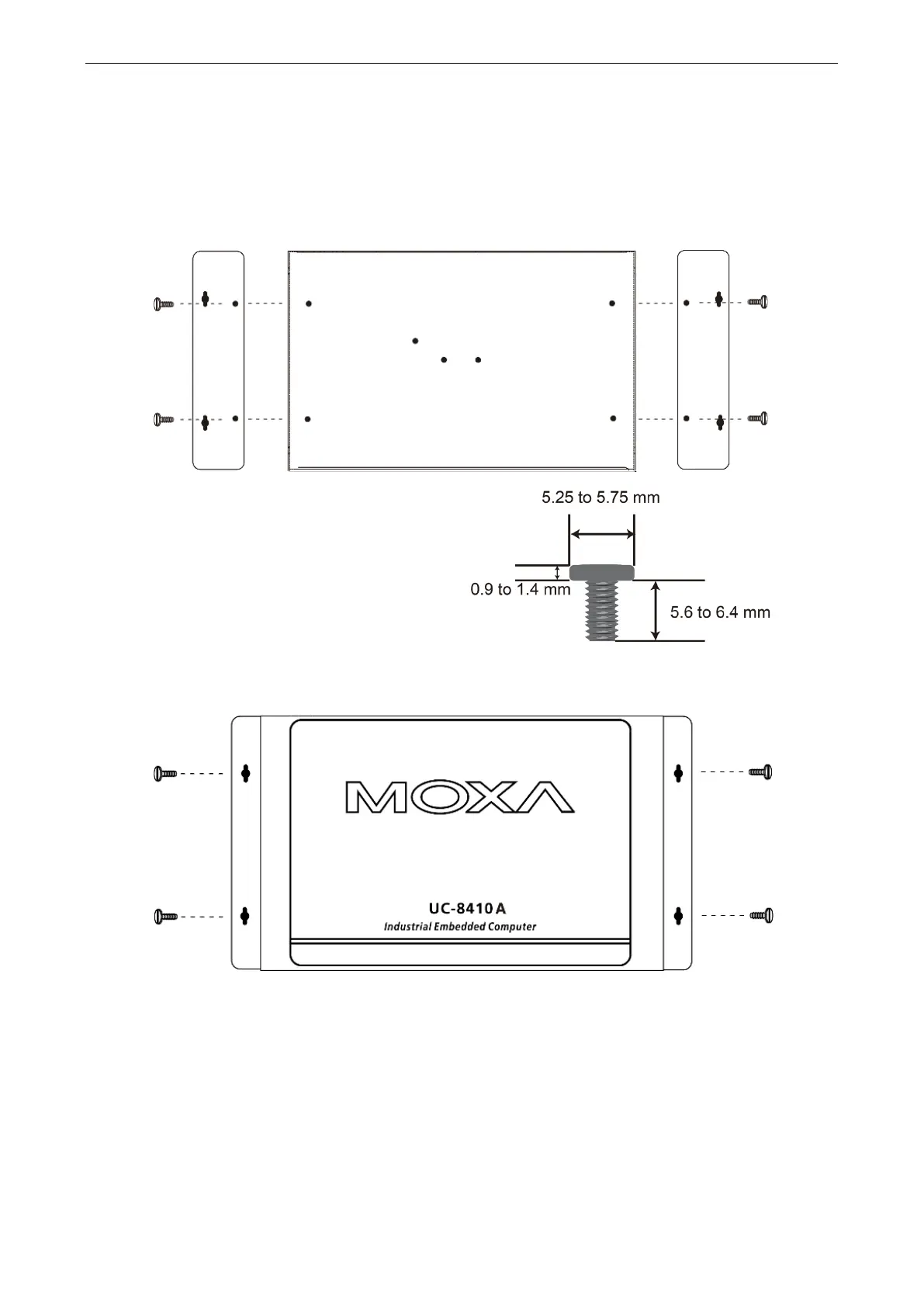
The two metal brackets included with the UC-8410A can be used to attach it to a wall or the inside of a cabinet.
Use two screws per bracket to attach the brackets to the bottom panel of the UC-8410A.
The four screws are included in the wall-mounting
kit. Refer to the figure on the right for detailed
specification of the screws.
Next, use two screws per bracket to attach the UC-8410A to a wall or cabinet.
These four screws are NOT included in the
wall-mounting kit and must be purchased separately.
Refer to the detailed specifications on the right.
Head Type: round or pan
Head Diameter: >4.5 mm
Length: >4 mm
Thread Size: M3 x 0.5 mm


 To Next Page