UC-8410A HW UM Mounting Options
DIN Rail
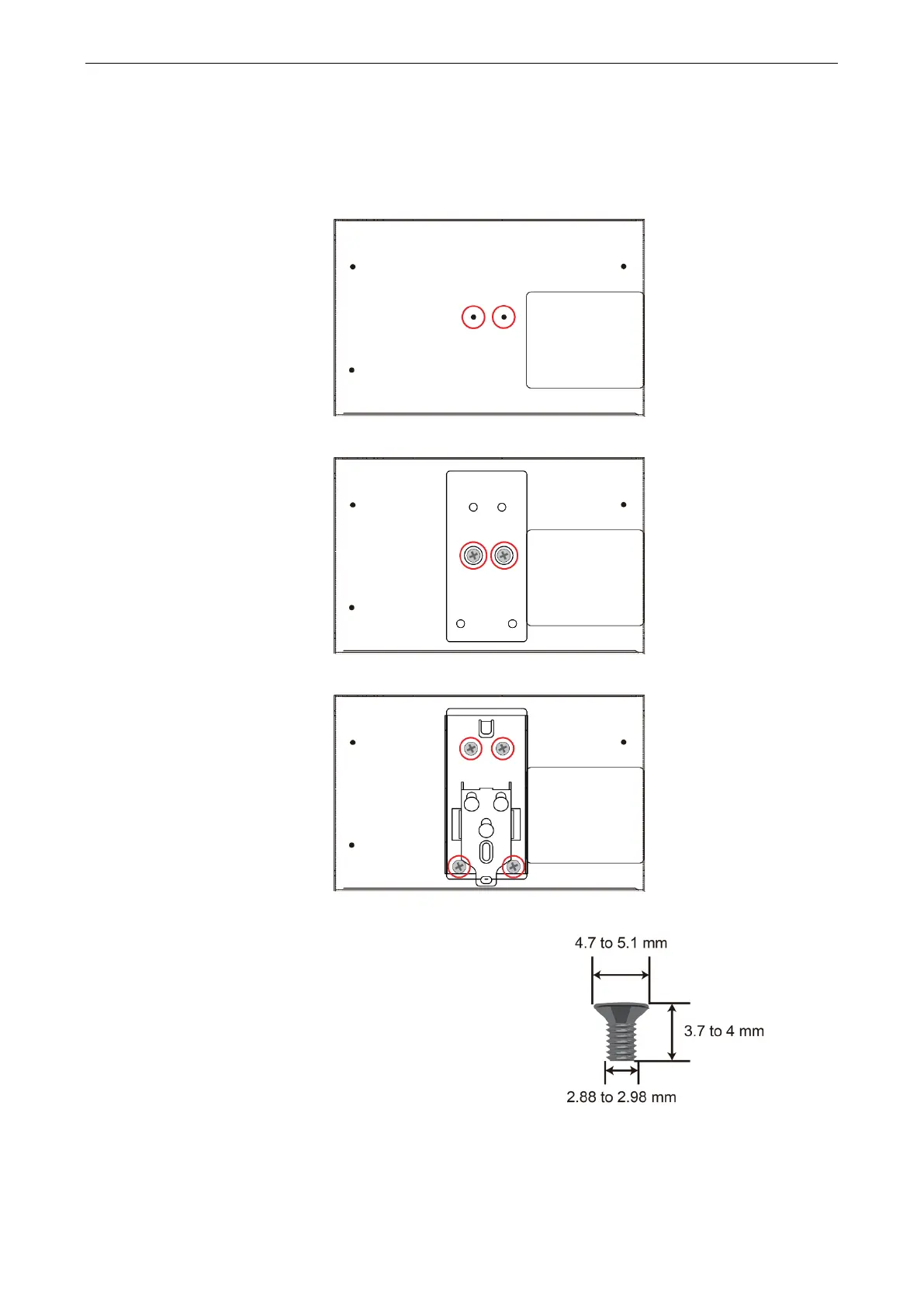
The DIN-rail mounting kit includes a black plate, a silver DIN-rail mounting plate, and six screws. To install the
computer on a DIN rail, do the following:
Find the two screw holes on the bottom side of the computer.
Use two screws to attach the black plate to the computer.
Use another four screws to attach the DIN-rail mounting plate as shown in the figure below:.
Refer to the figure on the right for the specifications of the
mounting screws.


 To Next Page