UC-8410A HW UM Hardware Connection Description
Installing the Wireless Modules (not available in
the –NW module)
The UC-8410A comes with one internal socket that allows you to install either a Wi-Fi module or a cellular
module.
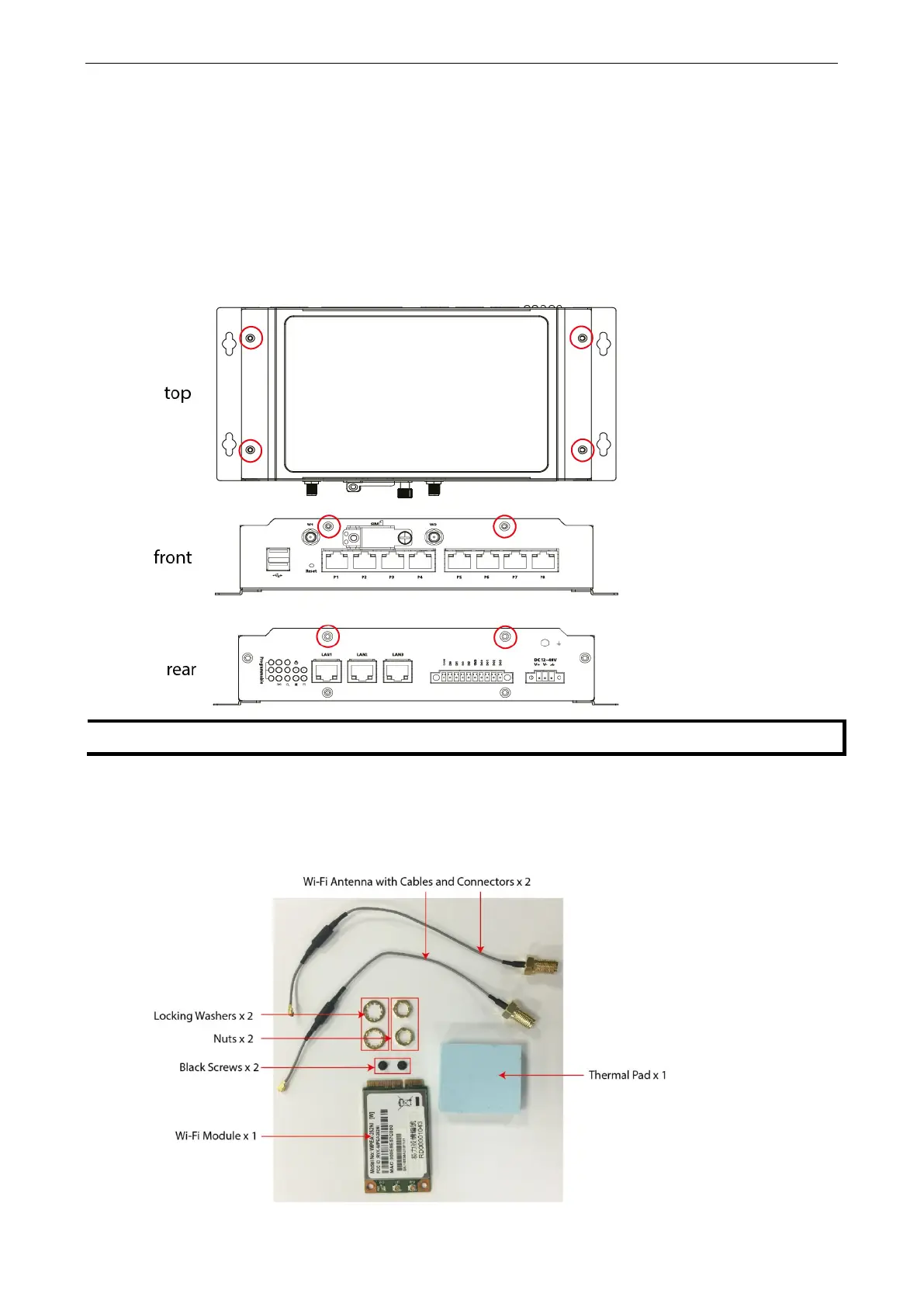
To install a wireless module you must first remove the four screws on the top panel, two screws on the front
panel, and two screws on the rear panel, and remove the top cover of the UC-8410A. See the following figures
for details on the location of the screws:
The top cover comes loose only after you have removed all eight screws as indicated in the diagrams.
Installing the Wi-Fi Module
The Wi-Fi module package includes 1 Wi-Fi module, 2 Wi-Fi antenna cables and connectors, 1 thermal pad, 2
black screws 2 locking washers, and 2 nuts.


 To Next Page