UC-8410A HW UM Hardware Connection Description
Installing the Cellular Module
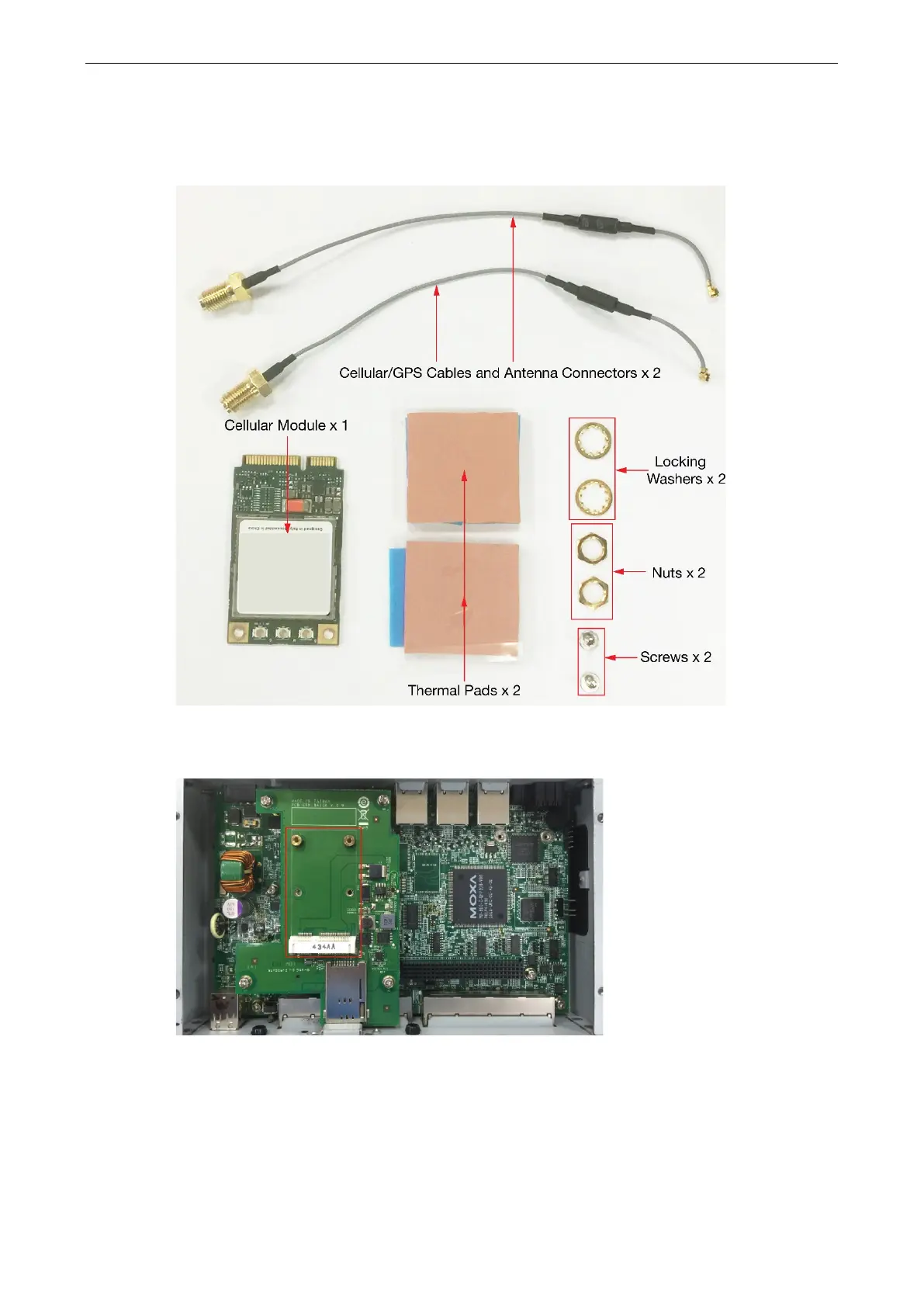
The package includes 1 cellular module, 2 cellular/GPS antenna cables and connectors, 2 thermal pads, 2
screws, 2 locking washers, and 2 nuts.
Follow these steps to install the cellular module:
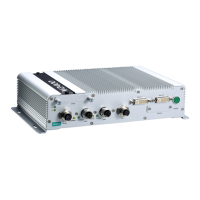
1. Find the location of the module socket.


 To Next Page