UC-8410A HW UM Hardware Connection Description
Installing the SD Card and mSATA Card
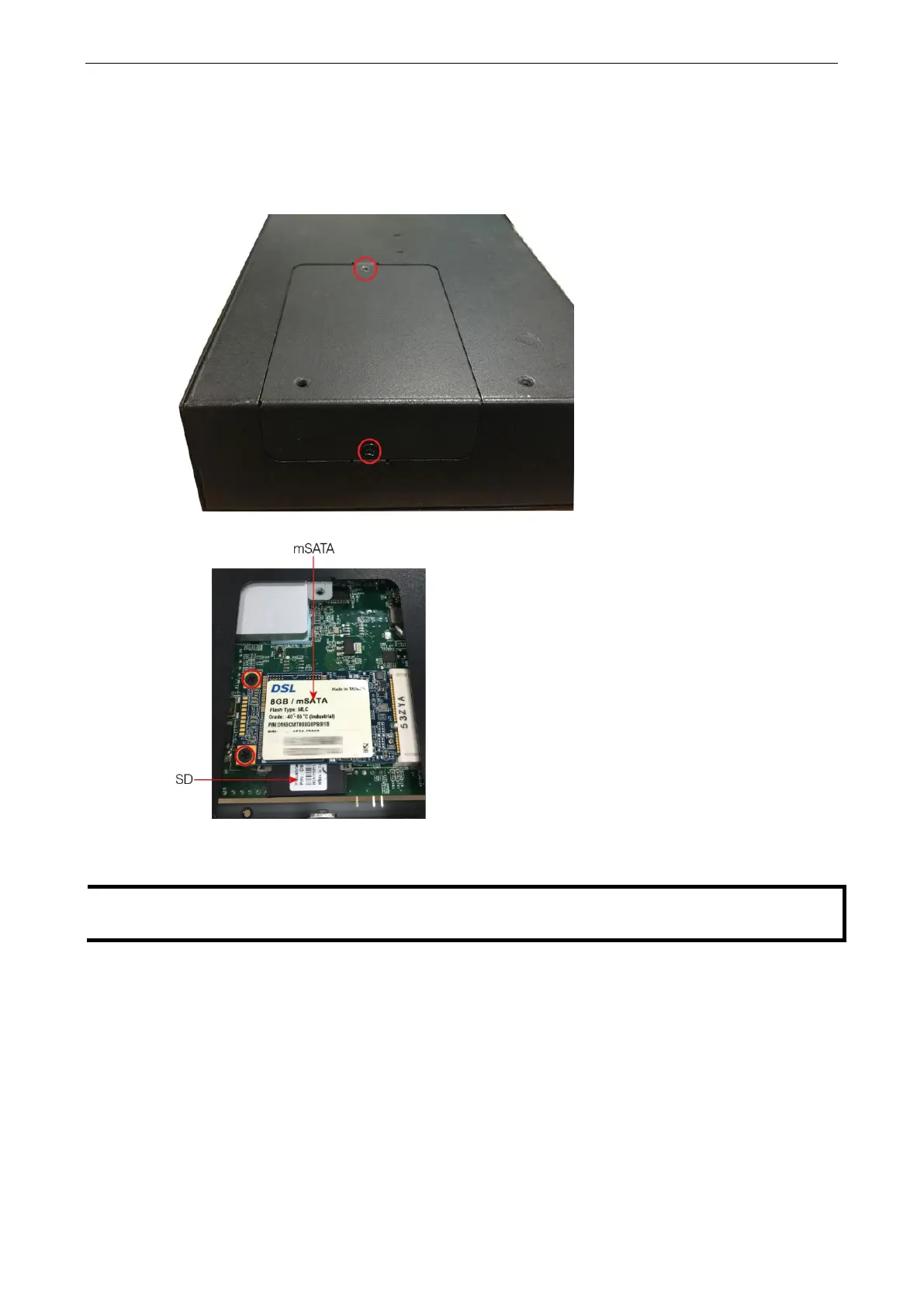
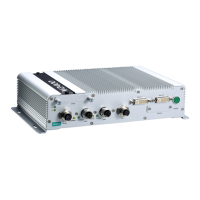
The UC-8410A comes with a SD card slot and an mSATA socket for storage expansion. To replace or install the
SD card, or to install an mSATA card, follow these steps:
1. Use a screwdriver to remove the screws on the rear and side panels of the cover over the mSATA socket.
2. Remove the cover to access the SD-card slot and the mSATA socket.
3. Push the SD card in gently to release it and remove the SD card to insert a new one in the socket.
4. Insert the mSATA card into the socket and fasten the screws.
The mSATA card is NOT included in the product package and must be purchased separately. All standard
mSATA card types have been tested with the UC-8410A computer and have been found to work normally.
USB
The UC-8410A has 2 USB 2.0 hosts for external storage expansion. The USB hosts are located on the front
panel.


 To Next Page