UC-8410A HW UM Mounting Options
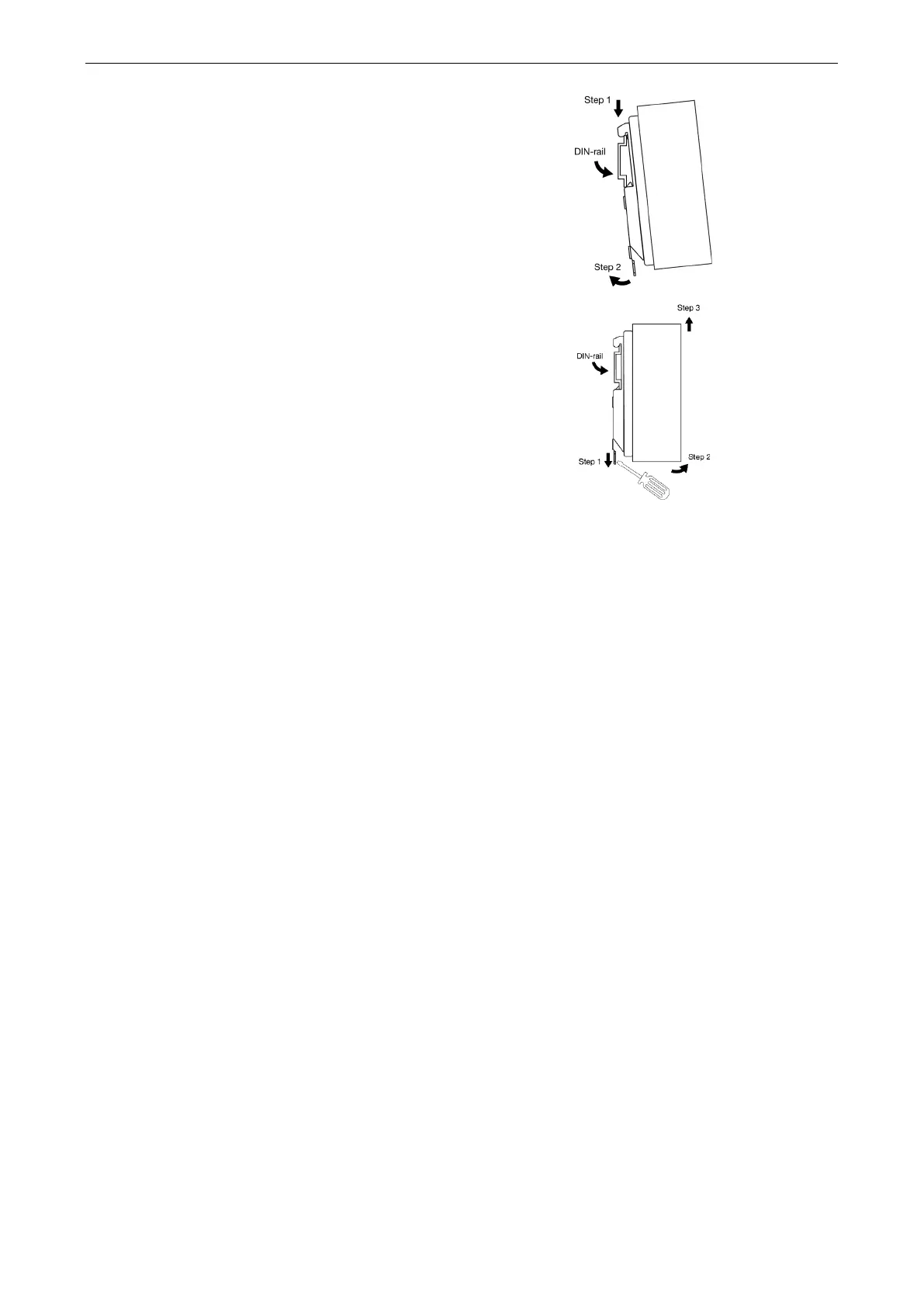
To install the computer on a DIN rail, follow these steps:
Step 1—Insert the upper lip of the mounting plate into the
DIN rail.
Step 2—Press the UC-8410A computer towards the DIN
rail until it snaps into place.
To remove the computer from the DIN rail, follow these
steps:
Step 1—Pull down the latch on the DIN-rail mounting
plate with a screwdriver.
Steps 2 & 3—Slightly pull the computer forward and lift it
up to detach the computer from the DIN rail.


 To Next Page