20
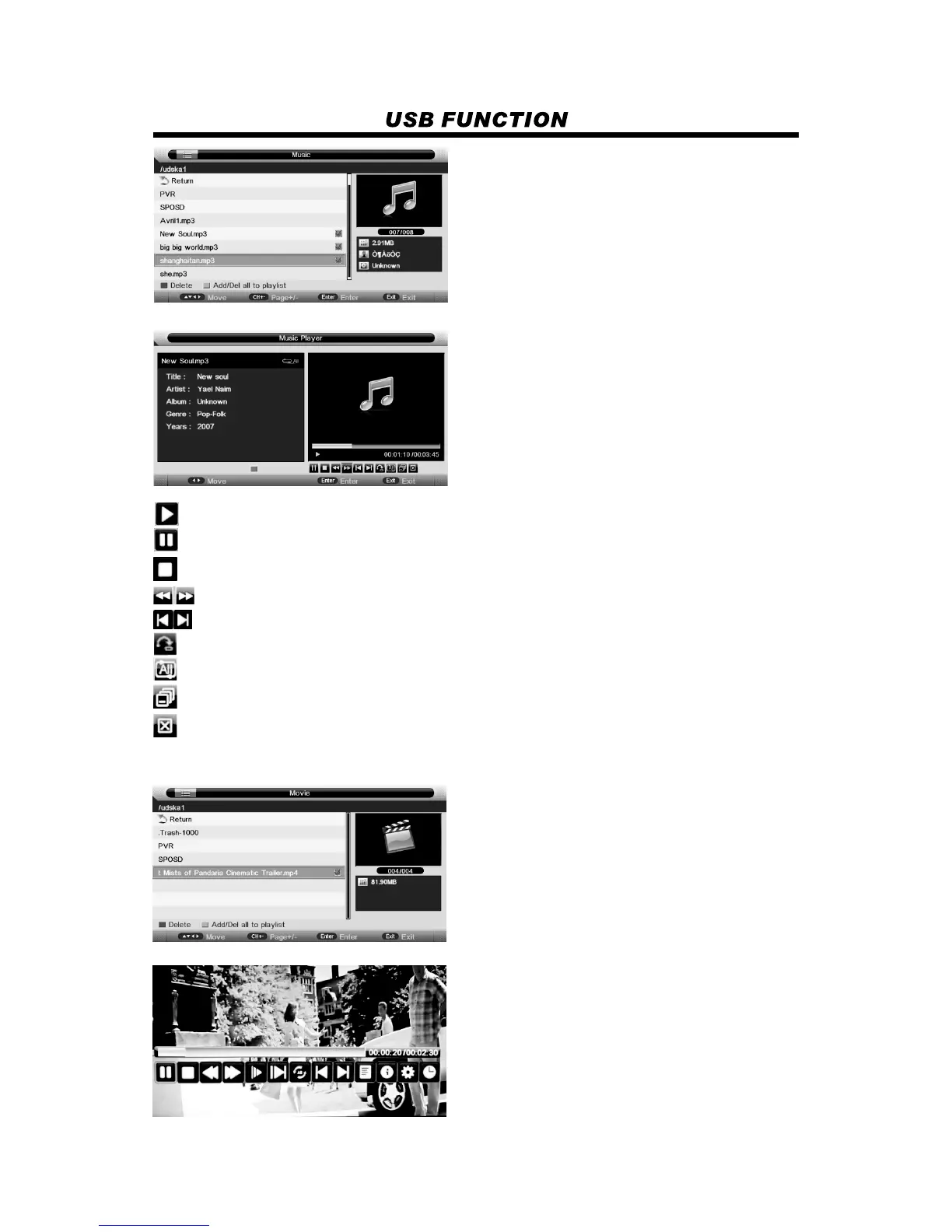
Press red button to delete the focused folder/file.
Press green button to add/Del all photo files to play list.
Press “PLAY” button to start playback.
: to start playing file, or resume the paused file.
: to pause the playing file.
: to stop the playing file.
: to play fast backward or forward.
: to play the previous or next file directly.
: to switch the repeat mode.
: to switch the window between “Information” and “Play List”.
: to close the panel only in “Music” mode, and then it can be opened by every key on remote.
3. Movie
Watch a film
Press red button to delete the focused folder/file.
Press green button to add/Del all photo files to play list.
Press “PLAY” button to start playback.
Close Panel
: to enter “GO TO” function, user can input the time he want to start directly.


 To Next Page