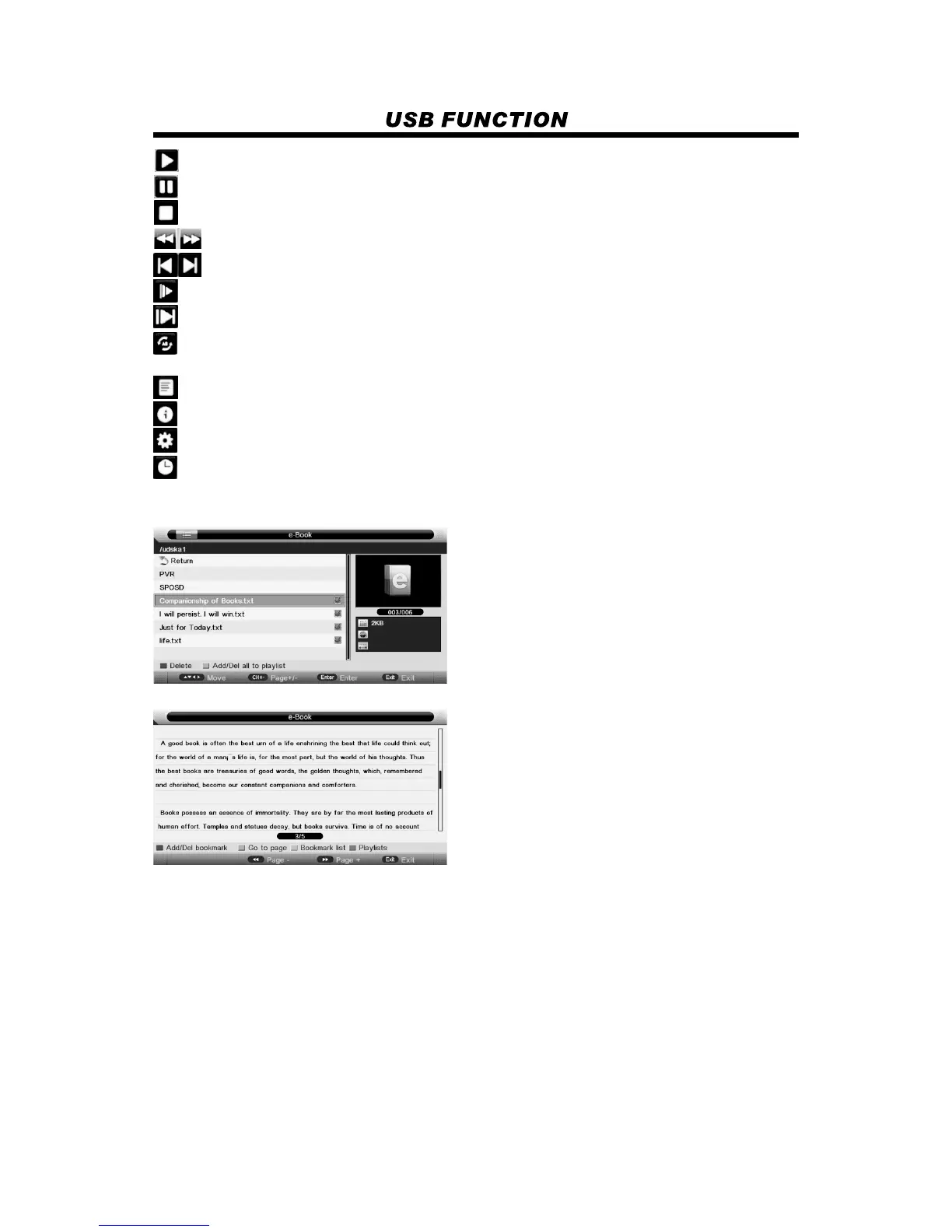
: to start playing file, or resume the paused file.
: to pause the playing file.
: to the playing file, and return to the file browser interface.
: to play the previous or next file directly.
: to enter slow mode.
: to enter step mode.
: to set AB repeat, the first press sets A point, and the second press sets B point, and then play
between A and B repeatedly.
: to play fast backward or forward.
: to enter the play list menu.
: to display the information of the current file.
: to enter “Movie Setup” menu, including “Program”, “Subtitle”, “Audio”, ”Repeat Mode”.
: to enter “GO TO” function, user can input the time he want to start directly.
4. e-Book
View text file
Press red button to delete the focused folder/file.
Press green button to add/Del all photo files to play list.
Press “PLAY” button to start playback.
Press red button to add/del bookmark.
Press green button to input the page number directly.
Press yellow button to enter the “Bookmark list” page.
Press blue button to enter the “Play list” page.
21


 To Next Page