59
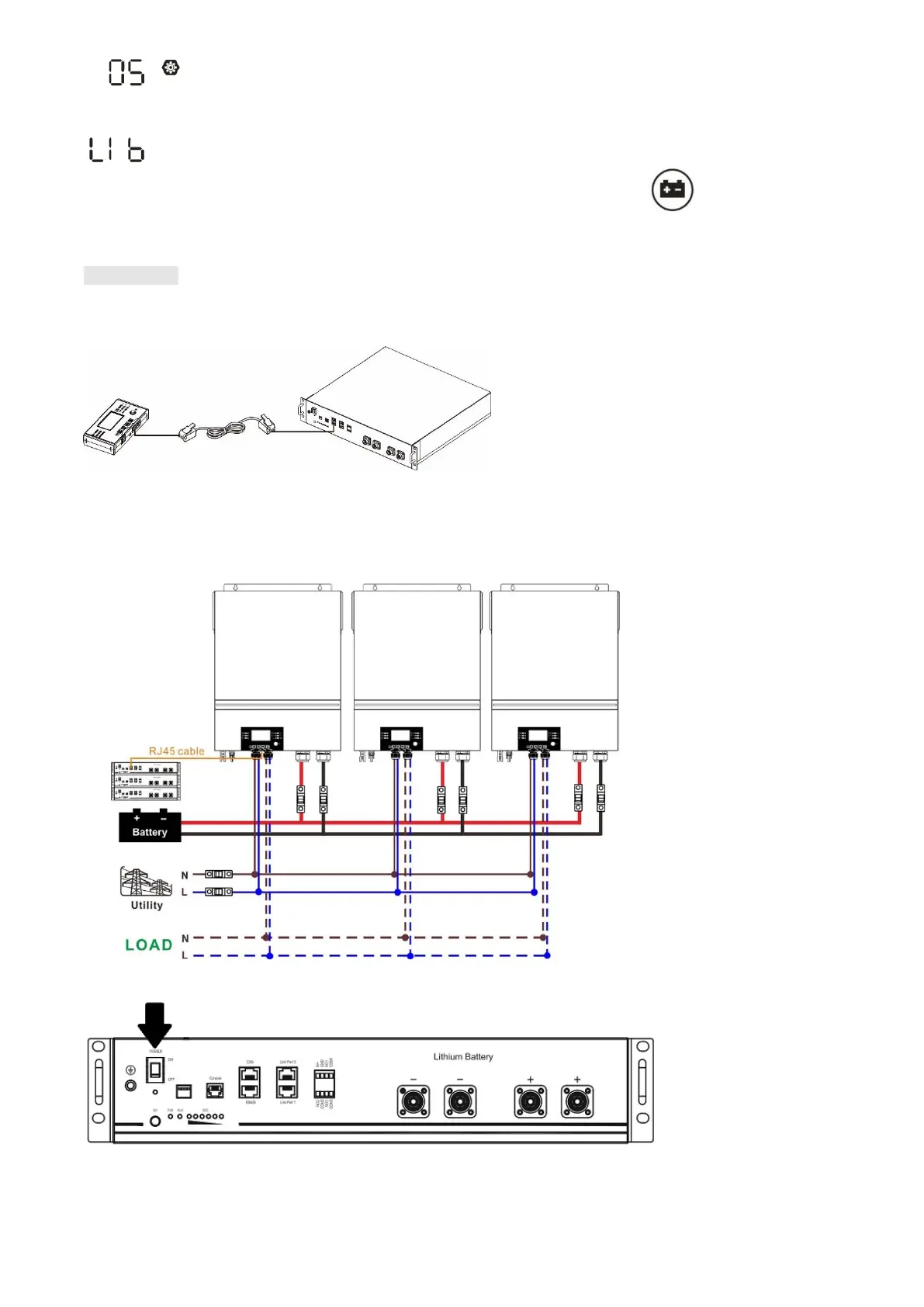
If communication between the inverter and battery is successful, the battery icon on LCD display will
flash. Generally speaking, it will take longer than 1 minute to establish communication.
PYLONTECH
After configuration, please install LCD panel with inverter and Lithium battery with the following steps.
Step 1. Use custom-made RJ45 cable to connect inverter and Lithium battery.
Note for parallel system:
3. Only support common battery installation.
4. Use custom-made RJ45 cable to connect any inverter (no need to connect to a specific inverter) and
Lithium battery. Simply set this inverter battery type to “PYL” in LCD program 5. Others should be “USE”.
Step 2. Switch on Lithium battery.
Step 3. Press more than three seconds to start Lithium battery, power output ready.





 To Next Page