Installation 6-4PTX-PRO User and Technical Manual
Figure 6-3: Quick Release Mount on Non-MRC Tripod
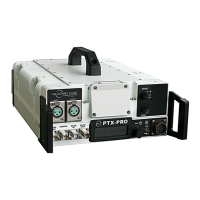
Mounting - Non-MRC Tripod (Option 3) A third option is
available to mount a PTX-PRO to a non-MRC tripod that
contains a QuickSet tripod mount. This option requires the use
of a QuickSet Quick Change Adapter. The Quick Change
Adapter is attached to the bottom of the PTX-PRO using four
1/2-inch long, #6-32, pan head screws, lock washers, and flat
washers.
The Quick Change Adapter and PTX-PRO assembly is then
attached to the QuickSet tripod mount and is secured with the
tripod mount locking clamp. See Figure 6-4.
Flat Head Screws
(4 Each)
Quick
Release
Mount
Dovetail Adapter
Plate (Attached to
PTX-PRO)
Tripod
Mount
Figure 6-4: Quick Change Adapter on QuickSet Tripod
Mount - Typical
Final Mounting When the PTX-PRO is mounted on the tripod,
the antenna is typically attached to the Antenna Lock Plate
mounted on the PTX-PRO. See Figure 6-5 on page 6-5.
Pan Head Screws,
Lock Washers, and
Flat Washers (4 Each)
Tripod Mount
Locking Clamp
QuickSet Quick
Change Adapter
(Attached to PTX-
PRO)
QuickSet
Tripod
Mount


 To Next Page