GB
OPERATION MSA
12 ALTAIR Operating Manual
3. Operation
3.1. Setting the alarm setpoints before commissioning
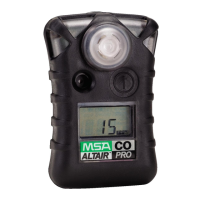
(1) Press [TEST] key once.
TEST is displayed;
After about 1 s, all display indicators are activated;
Acoustic alarm sounds, alarm LEDs light up and vibration alarm is
triggered;
The software version is displayed for approx. 3 s;
The gas type is displayed for approx. 3 s more (O
2
, H
2
S or CO).
LO and ALARM as well as HI and ALARM are displayed alternately for
approx. 3 s.
(2) To set the prealarm (LO), press the [TEST] key when "
LO" and "ALARM"
displays.
"
LO", "ALARM", "SET" and "?" are displayed.
(3) By pressing the [TEST] key, increase the value for the pre-alarm, until the
desired value is reached.
On obtaining the maximum value, the display jumps and begins to count
upwards again with minimum value.
(4) Release [TEST] key and wait for 3 s.
(5) To set the main alarm (HI), press the [TEST] key when "HI" and "ALARM"
displays.
"
HI", "ALARM", "SET" and "?" are displayed.
(6) By pressing the [TEST] key, increase the value for the pre-alarm, until the
desired value is reached.
On obtaining the maximum value, the display jumps back and begins to
count upwards again from the minimum value.
(7) Release [TEST] key and wait 3 s.
Instrument shuts off.



 To Next Page