Sample Line Placement between Aspirated
Sampling Module and Ultima X Gas Monitor
1. Remove all protective packaging plugs and/or caps from Aspirated
Sampling Module gas INLET and EXHAUST ports.
2. On new installations, skip to Step 4.
On existing installations of the Ultima X Gas Monitor: Remove the
Ultima X Gas Monitor(s) red plastic sensor cap and any gaskets
remaining on the sensor. Do not remove the sensor element.
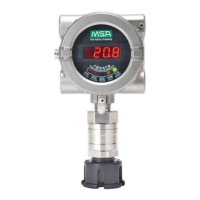
3. Locate the Aspirated Sampling Module flow block. Install the flow
block(s) on the Ultima X Gas Monitor(s) where the red plastic
sensor cap was removed in the previous step.
See FIGURE 1-1 and FIGURE 2-1.
• Additional flow blocks are available for additional Ultima X Gas
monitors.
• Refer to TABLE 2-1 for a description and part number for
additional flow blocks.
Install the proper flow block with the correct area classifica-
tion for your additional Ultima Gas Monitors. Incorrect flow
blocks will not enable the Ultima Gas Monitor to properly
monitor gas. Incorrect area classification will present an
ignition source, which may cause and explosion resulting in
injury or death.
Table 2-1. Parts List
ITEM PART NO.
Ultima XE Flow Block 10041866
Ultima XIR Flow Block 10042600
4. Attach the supplied tubing to the Aspirated Sampling Module port
labeled "TO ULTIMA X".
5. Attach the other end of the supplied tubing to the side of the flow
block (FIGURE 1-1).
• Tubing can be trimmed to ensure that there are no kinks.
"
WARNING
2-3



 To Next Page