CHAPTER 2 HARDWARE INSTALLATION
2-4
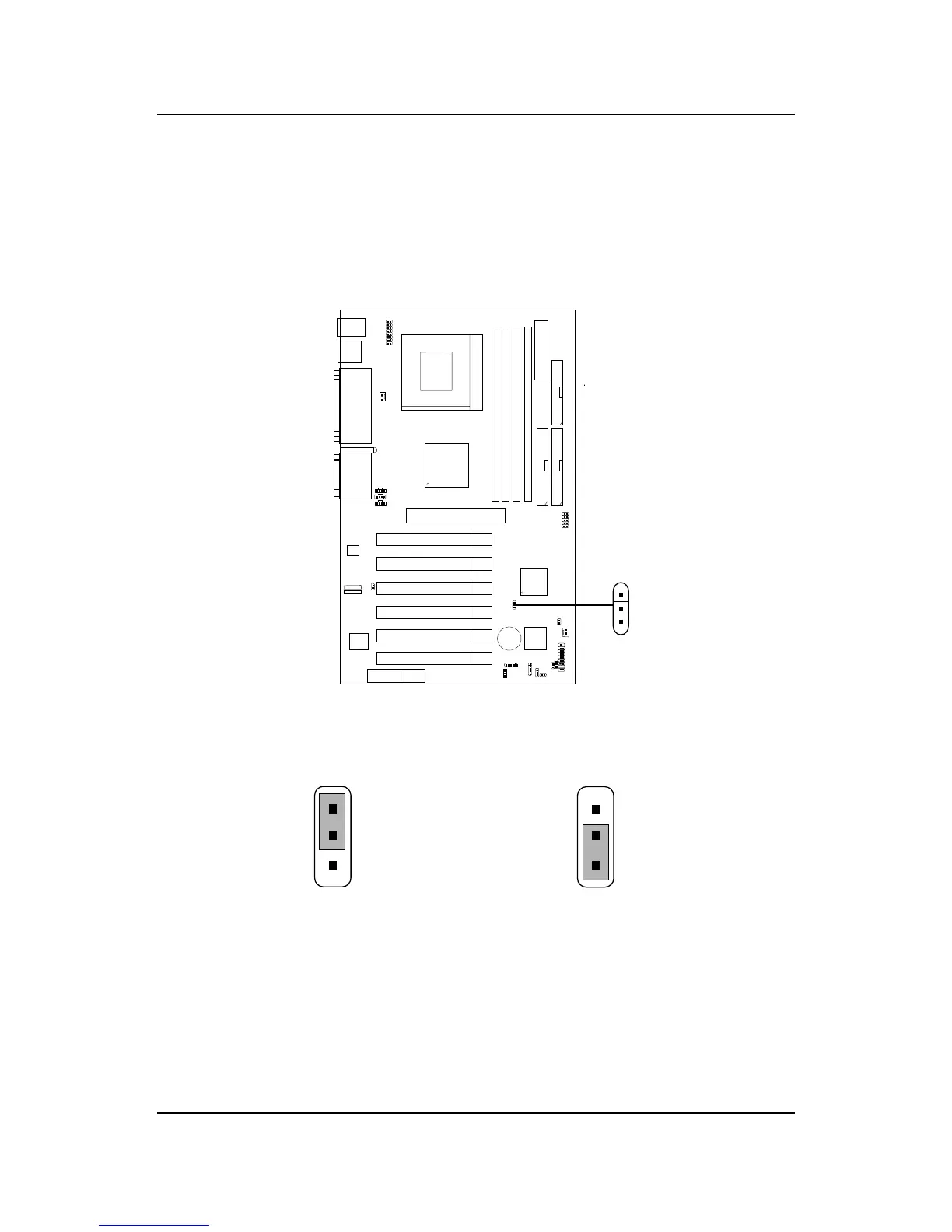
Clear CMOS Jumper: JBAT1
A battery must be used to retain the mainboard configuration in CMOS
RAM. Short 1-2 pins of JBAT1 to store the CMOS data.
Keep Data
Clear Data
1
1
3
3
Note: You can clear CMOS by shorting 2-3 pin, while the system is off.
Then, return to 1-2 pin position. Avoid clearing the CMOS while
the system is on, it will damage the mainboard. Always unplug
the power cord from the wall socket.
2
2
1
3
JBAT1



 To Next Page