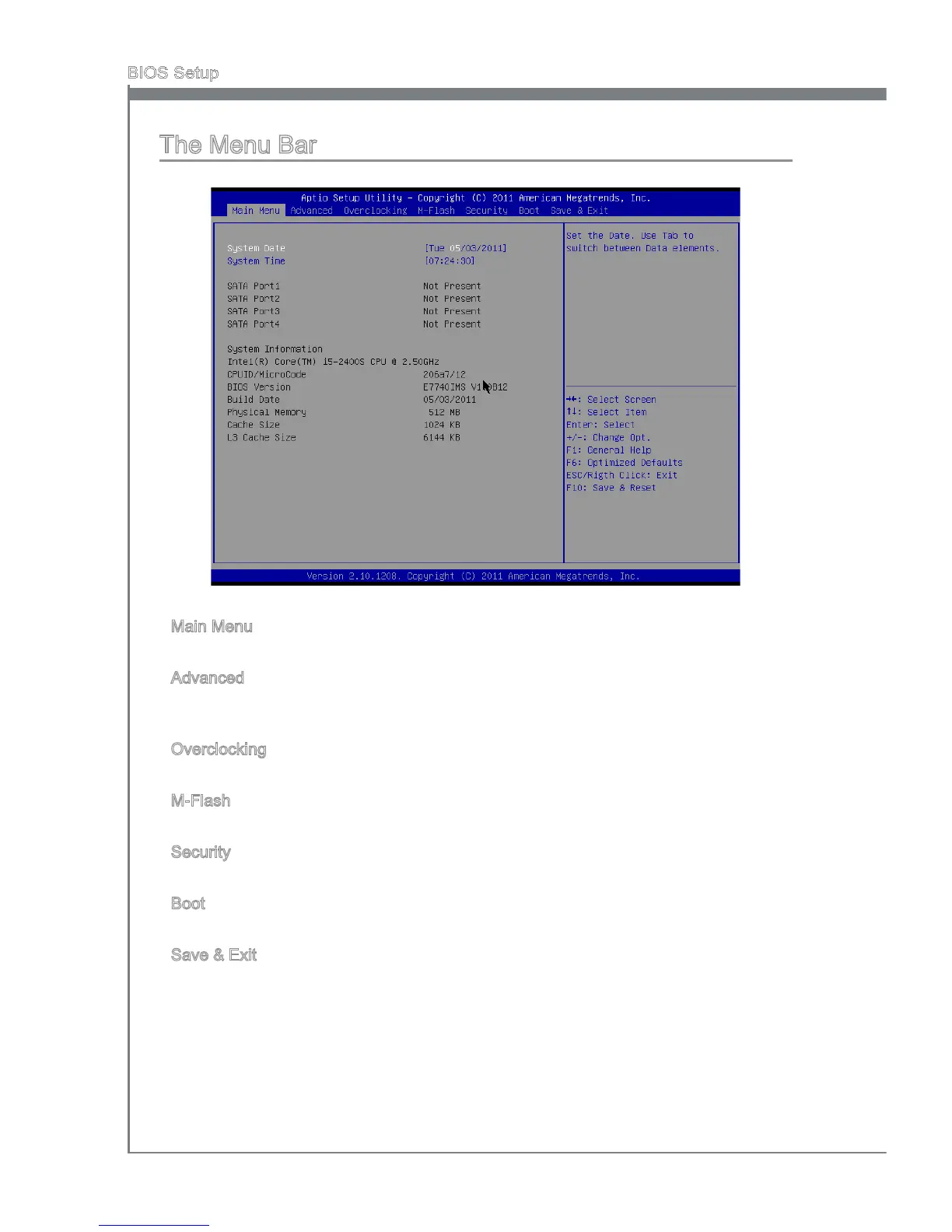
The Menu Bar
Man Menu
Use ths menu for basc system conguratons, such as tme, date etc.
Advanced
Use ths menu to setup the tems of the BIOS specal enhanced features, ntegrated
perpherals, power management and PC health status.
Overclockng
Use ths menu to specfy your settngs for frequency/voltage control and overclockng.
M-Flash
Use ths menu to read/ ash the BIOS from storage drve (FAT/ FAT32 format only).
Securty
Use ths menu to set supervsor and user passwords.
Boot
Use ths menu to specfy the prorty of boot devces.
Save & Ext
Ths menu allows you to load the BIOS default values or factory default settngs nto the
BIOS and ext the BIOS setup utlty wth or wthout changes.
▶
▶
▶
▶
▶
▶
▶



 To Next Page