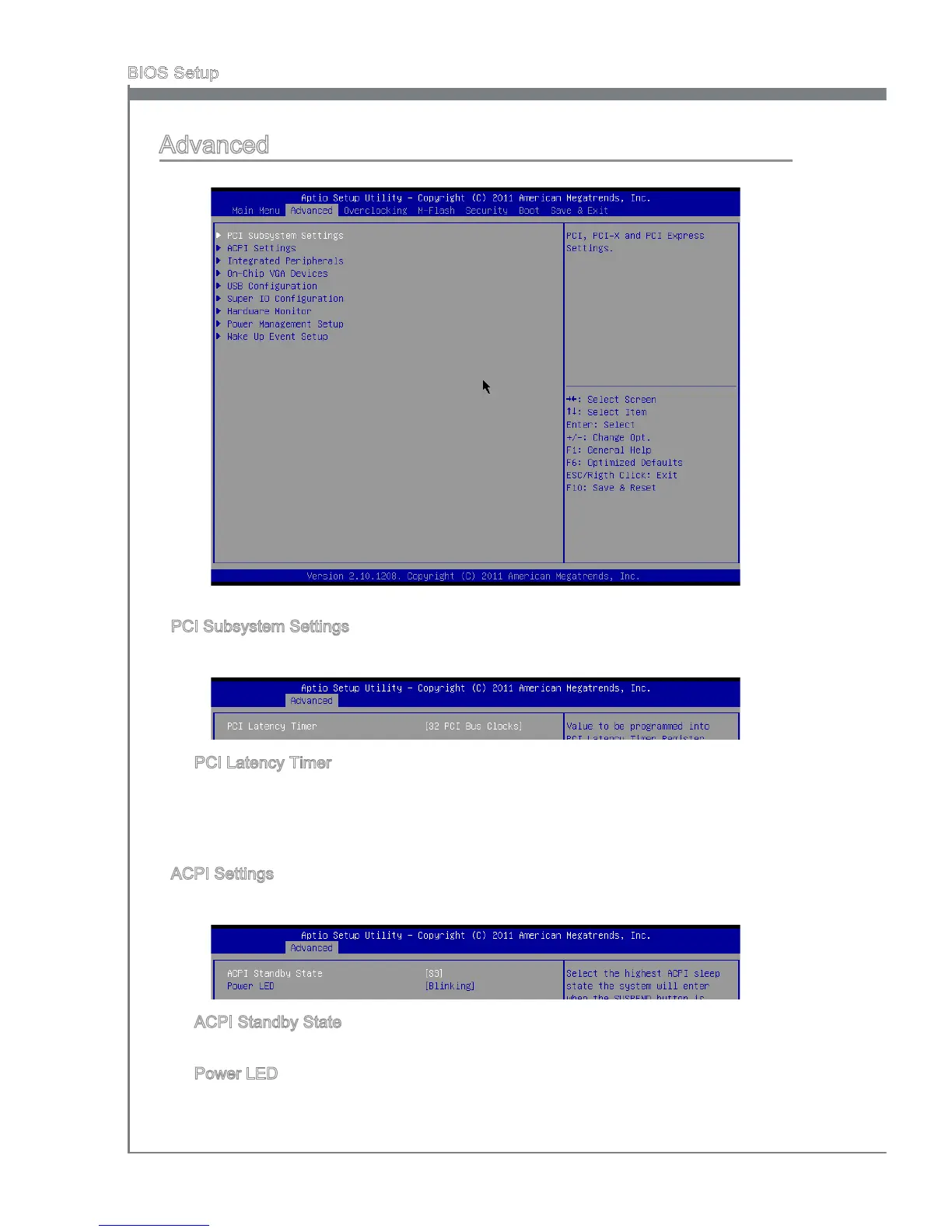
Advanced
PCI Subsystem Settngs
Press <Enter> to enter the sub-menu.
PCI Latency Tmer
Ths tem controls how long each PCI devce can hold the bus before another takes
over. When set to hgher values, every PCI devce can conduct transactons for a
longer tme and thus mprove the eectve PCI bandwdth. For better PCI perfor
-
mance, you should set the tem to hgher values.
ACPI Settngs
Press <Enter> to enter the sub-menu.
ACPI Standby State
Ths tem speces the power savng modes for ACPI functon.
Power LED
Ths tem congures how the system uses power LED on the case to ndcate the
sleep/suspend state.
▶
▶
▶
▶
▶



 To Next Page