OC Gene Button Operaton
Ths tem s used to enable/dsable the OC Gene button operaton.
DRAM Frequency
Ths tem allows you to adjust the DRAM frequency. Please note the overclockng
behavor s not guaranteed.
Adjusted DRAM Frequency
It shows the adjusted DRAM frequency. Read-only.
DRAM Tmng Mode
Select whether DRAM tmng s controlled by the SPD (Seral Presence Detect)
EEPROM on the DRAM module. Settng to [Auto] enables DRAM tmngs and the
followng “Advanced DRAM Conguraton” sub-menu to be determned by BIOS based
on the conguratons on the SPD. Selectng [Lnk] or [Unlnk] allows users to congure
the DRAM tmngs and the followng related “Advanced DRAM Conguraton” sub-menu
manually.
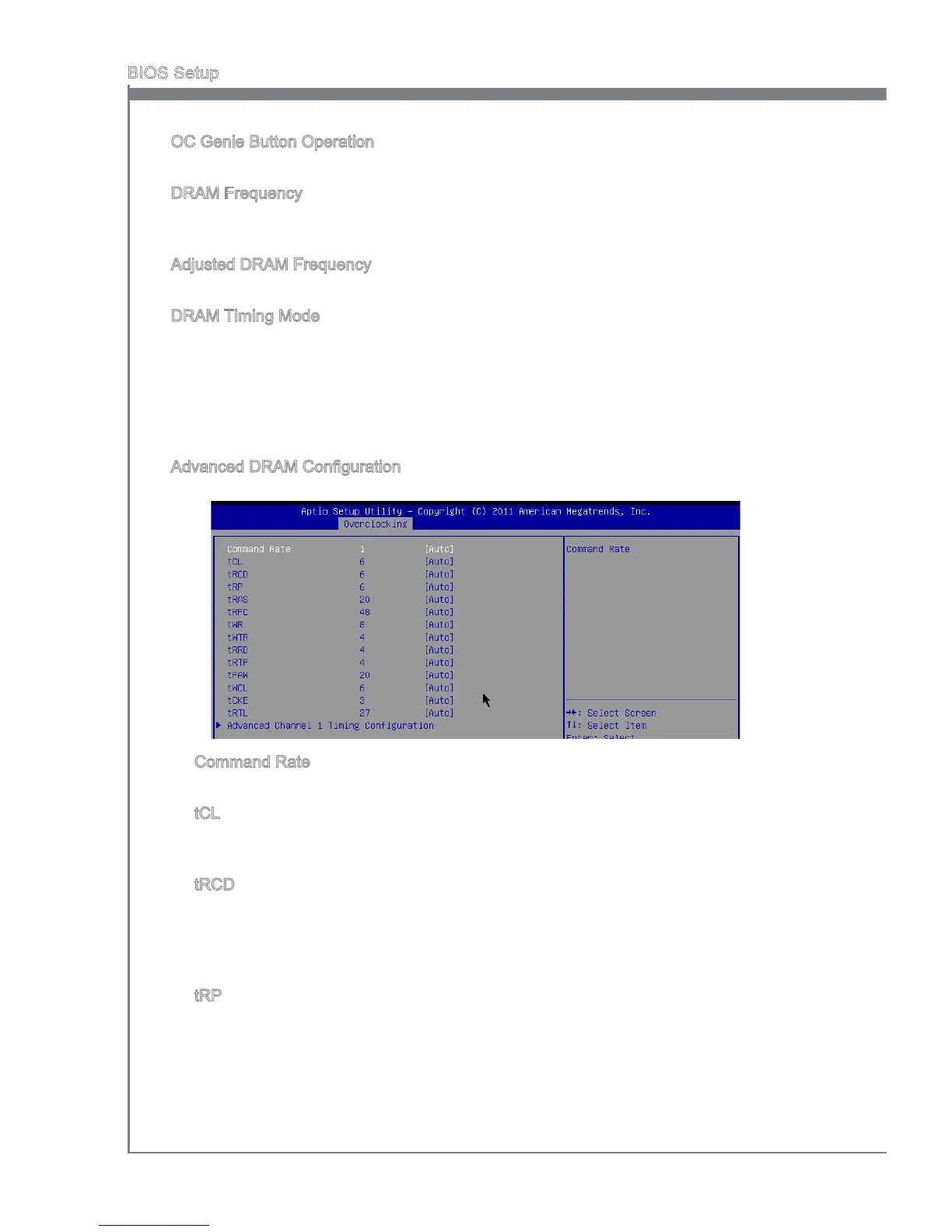
Advanced DRAM Conguraton
Press <Enter> to enter the sub-menu.
Command Rate
Ths settng controls the DRAM command rate.
tCL
Ths controls the CAS latency, whch determnes the tmng delay (n clock cycles)
before SDRAM starts a read command after recevng t.
tRCD
When DRAM s refreshed, both rows and columns are addressed separately. Ths
setup tem allows you to determne the tmng of the transton from RAS (row address
strobe) to CAS (column address strobe). The less the clock cycles, the faster the
DRAM performance.
tRP
Ths settng controls the number of cycles for Row Address Strobe (RAS) to be
allowed to precharge. If nsucent tme s allowed for the RAS to accumulate ts
charge before DRAM refresh, refreshng may be ncomplete and DRAM may fal
to retan data. Ths tem apples only when synchronous DRAM s nstalled n the
system.
▶
▶
▶
▶
▶
▶
▶
▶
▶



 To Next Page