Reset Dsks to Non-RAID
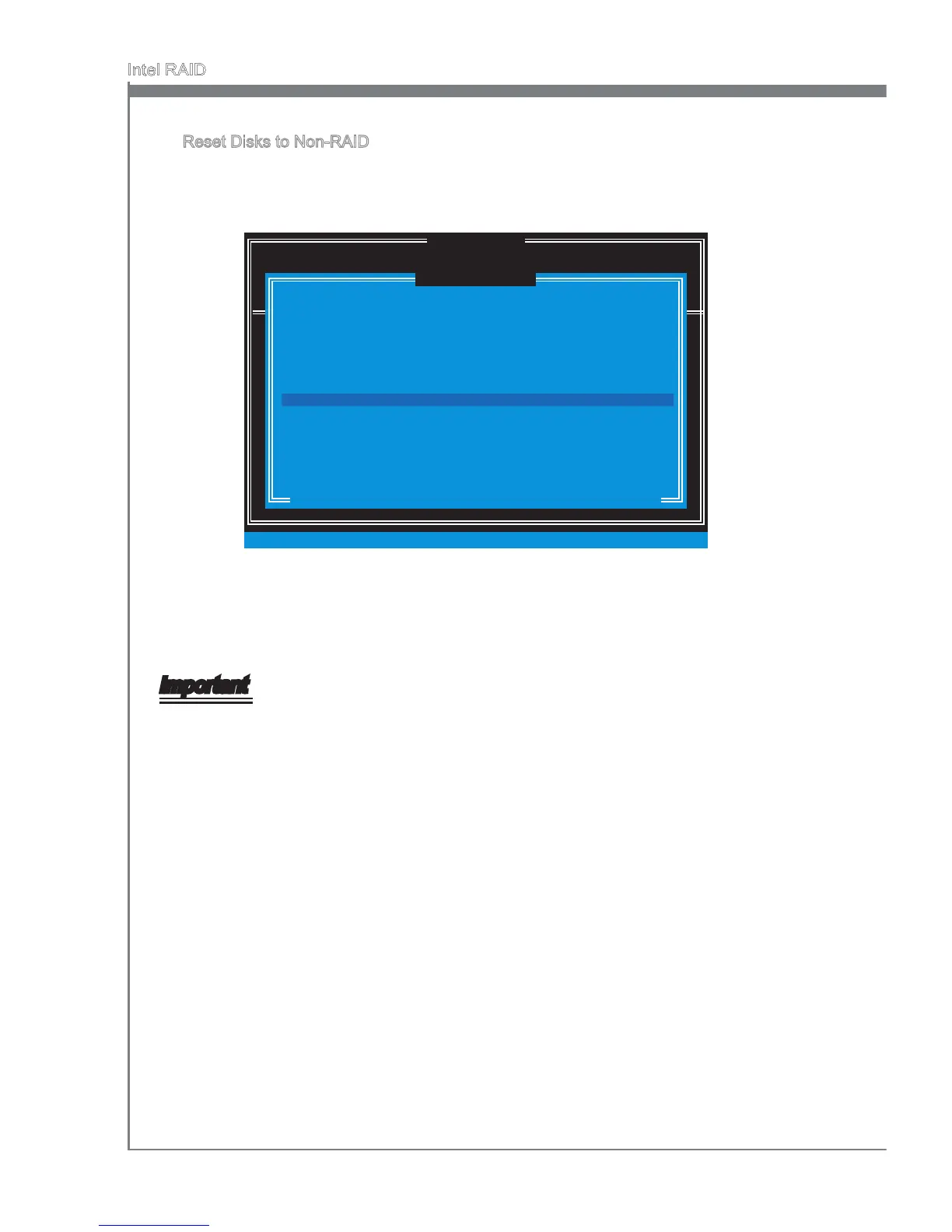
Select opton 3 Reset Dsks to Non-RAID and press <Enter> to delete the RAID
volume and remove any RAID structures from the drves. The followng screen
appears:
DISK / VOLUME INFORMATION
[ ]
3. Reset Dsks to Non-RAID
4. Recovery Volume Optons
5. Ext
RAID Volumes :
None dened.
Physcal Devces :
Port Devce Model Seral # Sze Type/Status (Vol ID)
1 XXXX-XXXXXXXX XXXXXXXXXXXXXX XXX.XGB Non-RAID Dsk
2 XXXX-XXXXXXXX XXXXXXXXXXXXXX XXX.XGB Non-RAID Dsk
[ ↑↓] - Select [ESC] - Ext [ENTER] - Select Menu
1. Create RAID Volume
2. Delete RAID Volume
Resettng RAID dsk wll remove ts RAID structures
and revert t to a non-RAID dsk.
[ ]
RESET RAID DATA
WARNING : Resettng a dsk causes all data on the dsk to be lost.
(Ths does not apply to Recovery volumes)
Select the dsks that should be reset.
[ ↑↓] - Prevous/ Next [SPACE] - Selects [ENTER] - Selecton Complete
Port Drve Model Seral # Sze Status
1 XXXX-XXXXXXXX XXXXXXXXXXXXXX XXX.XGB Member Dsk
2 XXXX-XXXXXXXX XXXXXXXXXXXXXX XXX.XGB Member Dsk
[ ]
MAIN MENU
Use the <Space> key to select the dsks and press <Enter> key. A conrmaton sen-
tence wll appear below, and then press <Y> key to accept the selecton.
Important
You wll lose all data on the RAID drves and any nternal RAID structures when you
perform ths operaton.
Possble reasons to “Reset Dsks to Non-RAID” could nclude ssues such as ncom
-
patble RAID conguratons or a faled volume or faled dsk.
■
•
•




 To Next Page