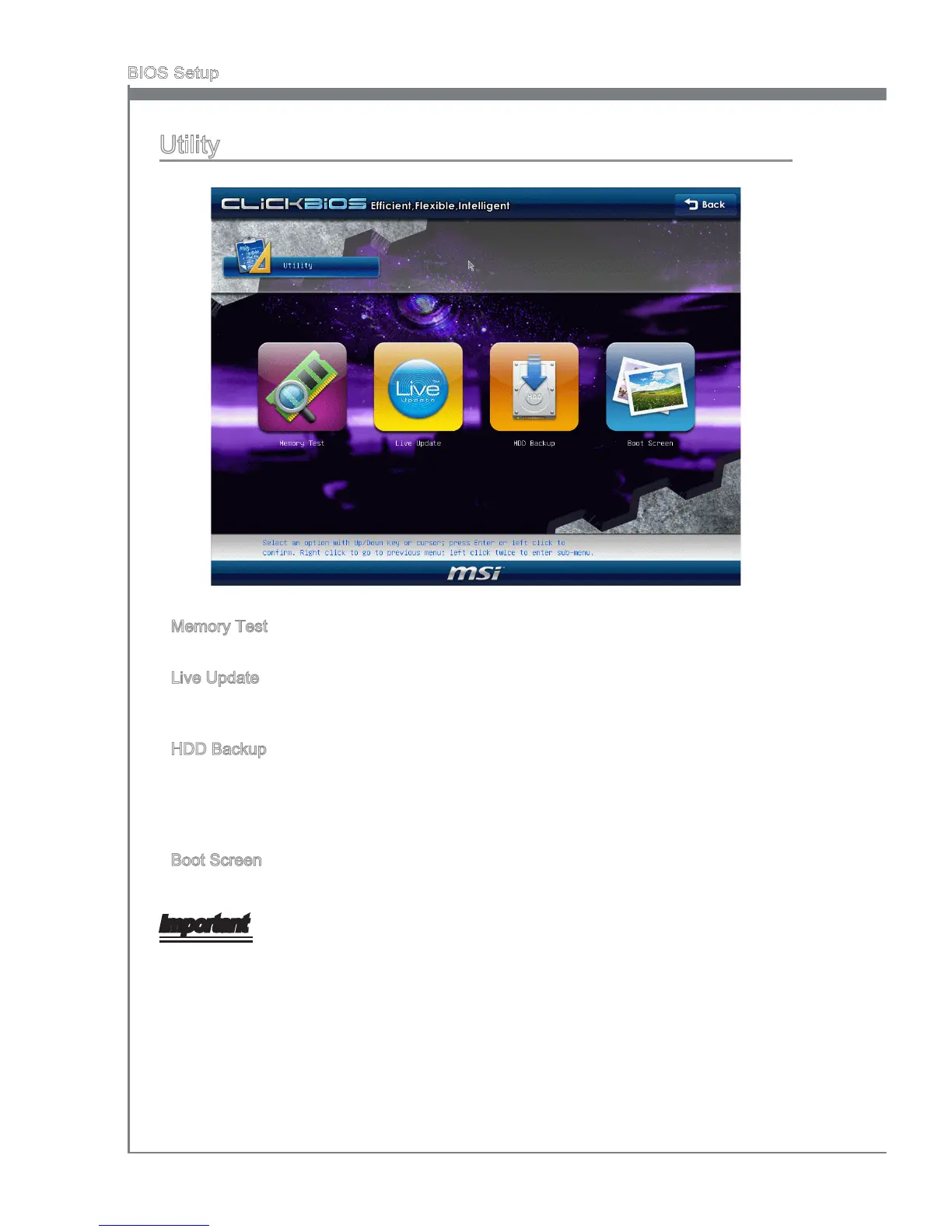
Utlty
Memory Test
Ths tem s used to test nstalled memory.
Lve Update
Lve Update s a tool used to detect and update your BIOS onlne so that you don’t need
to search for the correct BIOS verson throughout the webste.
HDD Backup
Ths tem s used to backup hard dsk. Hard dsk store backup and restore s one of the
most common and mportant task. It conssts of backng up all the partton on mage
les. When the data s lost or problems occur, you can restore the partton mage to
keep your system.
Boot Screen
Ths tem s used to select the boot screen.
Important
Before you enter to the Lve Update/ HDD Backup menu, please place the MSI Drver
DVD that be ncluded n the manboard package nto the DVD-ROM drve . The Drver
DVD provdes the necessary programs for these two utlty.
The Boot Screen utlty can only support the jpg/ bmp format mage le n 1024 x 768
dp that saved n FAT12/ 16/ 32 formats storage devce.
▶
▶
▶
▶
•
•




 To Next Page