33
Photo
MEGA VIEW 588 supports JPEG and GIF file format. Only supported files will
be shown from list and viewed on MEGA VIEW 588.
View Photo or Picture
1. Connect MEGA VIEW 588 to computer and upload the files from
computer to MEGA VIEW 588.
2. Disconnect MEGA VIEW 588 after files are transferred.
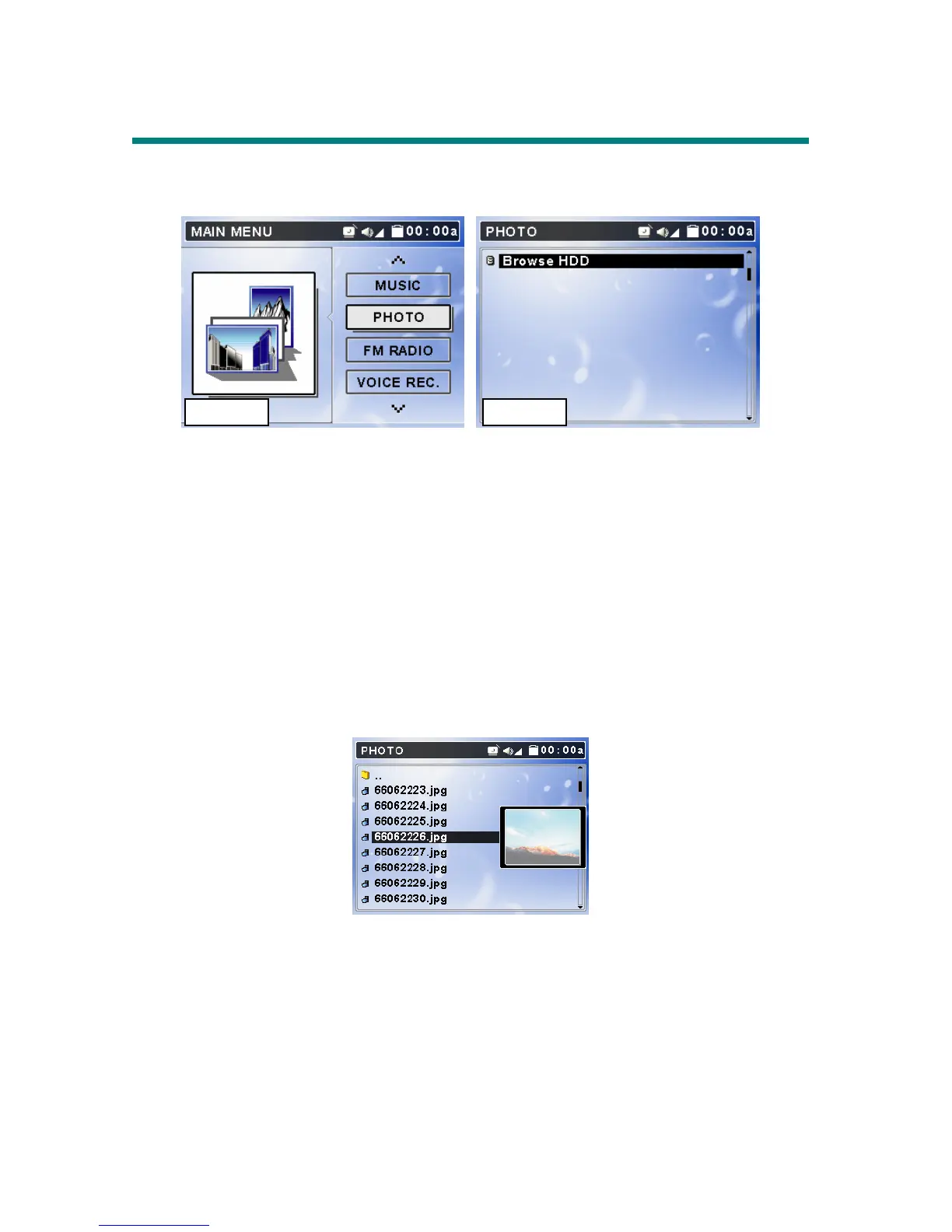
3. On main menu, push Navigation key up or down to Photo as Figure 5. On
Photo, press button to enter Photo menu as Figure 6.
4. Push Navigation key up or down to select a category and press down
Navigation key to enter, select a file from list. You can preview selected file
by pushing Navigation key to the right. Press down Navigation key, you
can see the file in full screen.
5. If you want to rotate the photo, push Navigation key to the right. One press
will make the photo rotate 90 degrees. Press down Navigation key again,
the photo will be displayed normally.
6. While viewing the photo in full screen, you can push Navigation key up or
down to view previous or next photo. Or press down Navigation key to
start Slide Show. Files slide in certain seconds adjusted in Setting Menu\
Photo\ Slide Interval.
Figure 5 Figure 6



 To Next Page