8
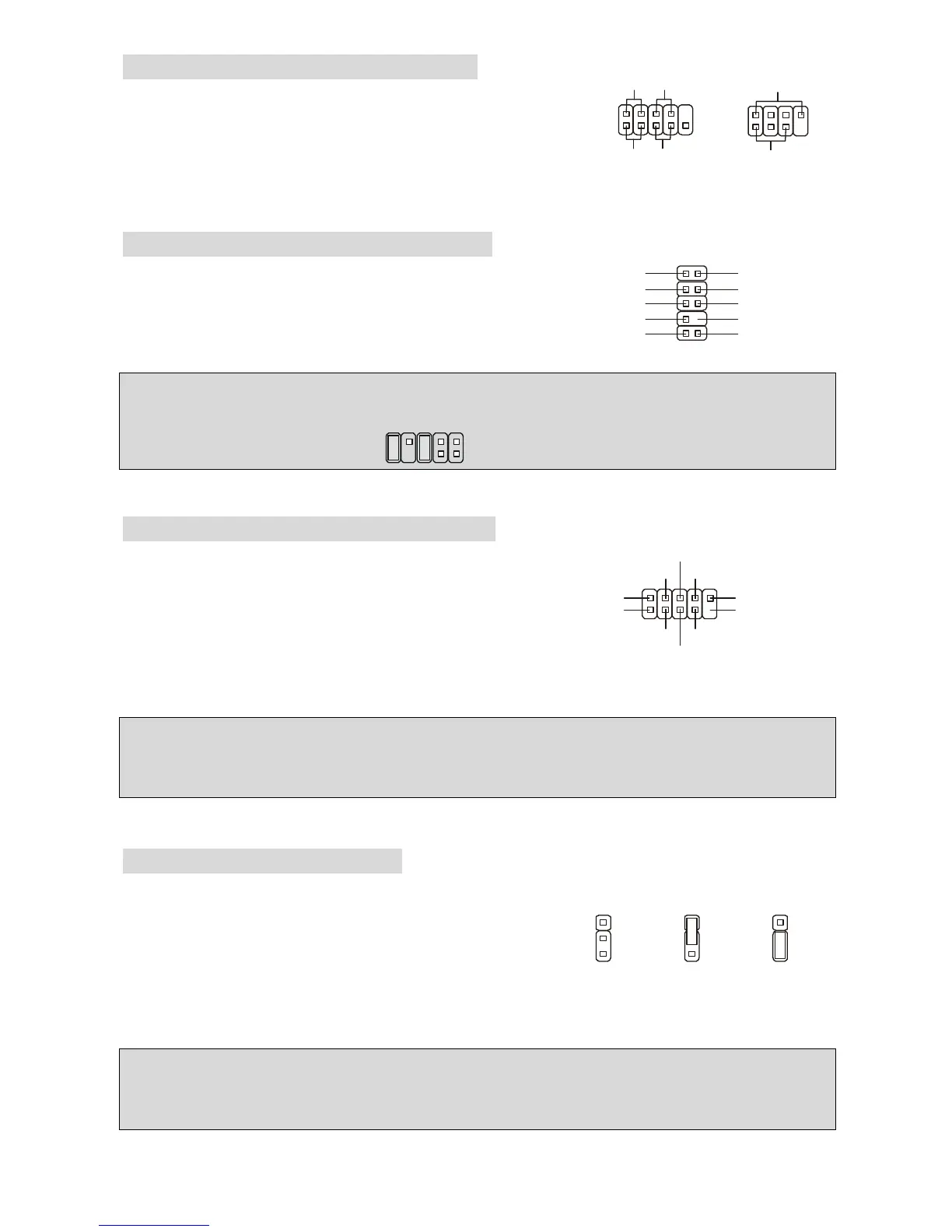
Front Panel Connectors: JFP1/JFP2
The mainboard provides two front panel connectors for
electrical connection to the front panel switches and LEDs.
JFP1 is compliant with Intel Front Panel I/O Connectivity
Design Guide.
Front Panel Audio Connector: JAUD1
The front panel audio connector allows you to connect
to the front panel audio and is compliant with Intel
®
Front Panel I/O Connectivity Design Guide.
MSI Reminds You...
If you do not want to connect to the front audio header, pins 5 & 6, 9 & 10 have to be jumpered in
order to have signal output directed to the rear audio ports. Otherwise, the Line-Out connector on
the back panel will not function.
1
2
9
10
Front USB Connector: JUSB1/ JUSB2
The mainboard provides two standard USB 2.0 pin
headers JUSB1 & JUSB2. USB2.0 technology increases
data transfer rate up to a maximum throughput of 480Mbps,
which is 40 times faster than USB 1.1, and is ideal for
connecting high-speed USB interface peripherals such as
USB HDD, digital cameras, MP3 players, printers, modems and the like.
MSI Reminds You...
Please note that the pins of VCC & GND must be connected correctly, or it may cause some
damage.
Clear CMOS Jumper: JBAT1
There is a CMOS RAM on board that has a power supply from external battery to keep the data
of system configuration. With the CMOS RAM, the system
can automatically boot OS every time it is turned on. If you
want to clear the system configuration, use the JBAT1
(Clear CMOS Jumper) to clear data. Follow the instructions
in the image to clear the data.
MSI Reminds You...
You can clear CMOS by shorting 2-3 pin while the system is off. Then return to 1-2 pin position.
Avoid clearing the CMOS while the system is on; it will damage the mainboard.


 To Next Page