A-5
X-Fi Xtreme Audio Card
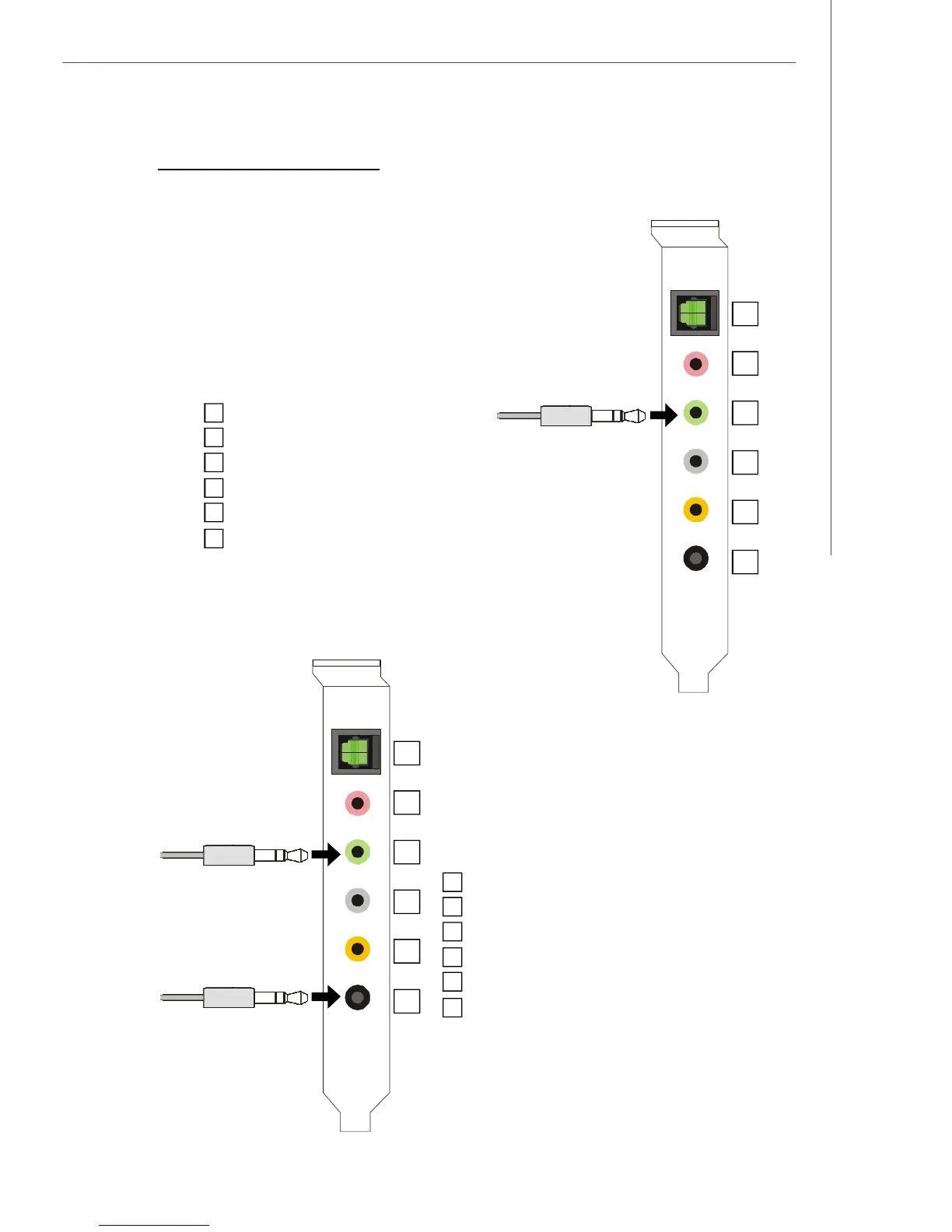
n 4-Channel Mode for 4-Speaker Output
Refer to the diagram and caption for the function
of each jack on the back panel when 4-Channel
Mode is selected.
4-Channel Analog Audio Output
1 S/PDIF Out-Optical
2 MIC & Line-In
3 Line Out (Front channels)
4 No function
5 No function
6 Line Out (Rear channels)
Connecting the Speakers
When you have set the Multi-Channel Audio Function mode properly in the software
utility, connect your speakers to the correct jacks in accordance with the setting in
software utility.
1 S/PDIF Out-Optical
2 MIC & Line-In
3 Line Out (Front channels)
4 No function
5 No function
6 No function
3
1
2
6
4
5
n 2-Channel Mode for 2-Speaker Output
Refer to the diagram and caption for the function
of each jack on the back panel when 2-Channel
Mode is selected.
3
1
2
6
4
5
2-Channel Analog Audio Output



 To Next Page