Operation (Pulse Oximeter)
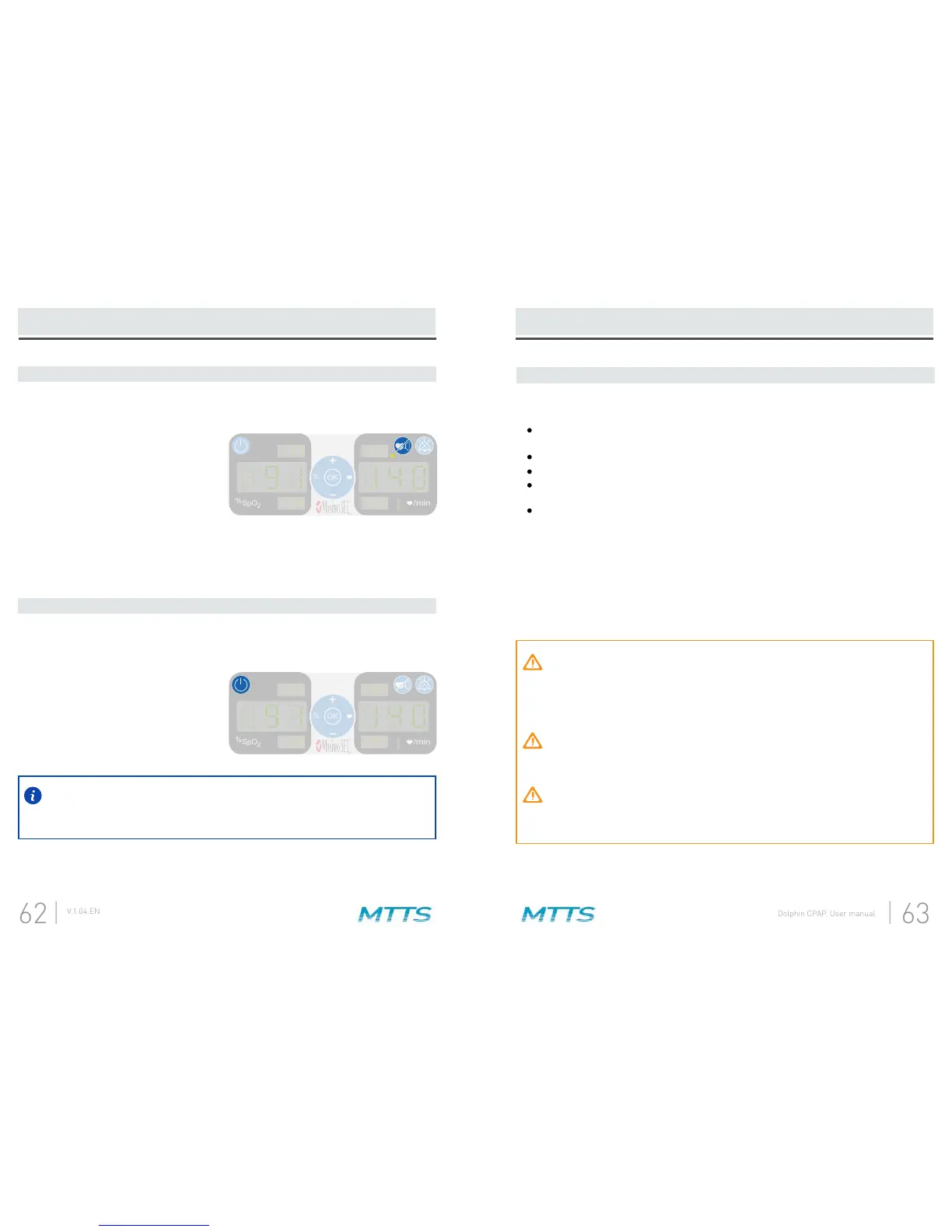
7. To begin patient monitoring:
8. After monitoring is complete:
If the Dolphin CPAP loses mains power, the SpO
2
and pulse rate alarm values
will be saved until the pulse oximeter display is next powered on. If the Dolphin
CPAP is turned off using the power button, no alarm limit values will be saved.
Operation (Pulse Oximeter)
Successful Monitoring
The following general points will aid in ensuring monitoring success.
alignment of the LEDs and detector.
Do not secure a sensor with tape.
Do not select a site near potential electrical interference (for example, an
electro-surgical device).
Read the sensor Directions for Use for proper sensor application.
MASIMO PULSE OXIMETRY SENSORS
Before use, carefully read the Masimo sensor Directions for Use. Use only Masimo
sensors for pulse oximetry measurements. Tissue damage can be caused by
incorrect application or use of a sensor, for example by wrapping the sensor too
tightly. Inspect the sensor site as directed in the sensor Directions for Use to ensure
skin integrity and correct positioning and adhesion of the sensor.
Do not use damaged sensors. Do not use a sensor with exposed optical or
electrical components. Do not immerse the sensor in water, solvents, or
cleaning solutions (the sensors and connectors are not waterproof). Do not
sterilize by irradiation, steam, or ethylene oxide. See the cleaning instructions
in the Directions for Use for reusable Masimo sensors.
Do not use damaged patient cables. Do not immerse the patient cables in
water, solvents, or cleaning solutions (the patient cable connectors are not
waterproof). Do not sterilize by irradiation, steam, or ethylene oxide.
Do not attempt to reprocess, recondition or recycle Masimo sensors or
patient cables as these processes may damage the electrical components,
potentially leading to patient harm.
SpO
%
2
/min
OK
%
SpO
%
2
/min
OK
%
Adjust the alarm limits.A.
Use the pulse sound button to
toggle between an enabled or
disabled pulse sound.
B.
Verify the sensor is applied correctly and that the measured data is appropriate.
See subsection
Successful Monitoring
that begins on the next page.
C.
Remove the sensor from the patient and store or dispose of the sensor according
to local laws. See the Directions for Use of the sensor.
A.
Press and hold the power button for
2 seconds to turn off the pulse
oximeter display.
B.


 To Next Page