77
Steering Cables
Steering cables connect the control levers to the hydrostatic drive system. Depending on usage, these will period-
ically need adjusted and/or replaced.
Signs of Worn Adjustment and/or Components
• The control lever(s) have excessive slack in neutral position.
• Levers do not have linear engagement throughout the entire stroke.
• Levers do not control each side of the vehicle in a similar manner.
• Cables are binding up.
Inspection
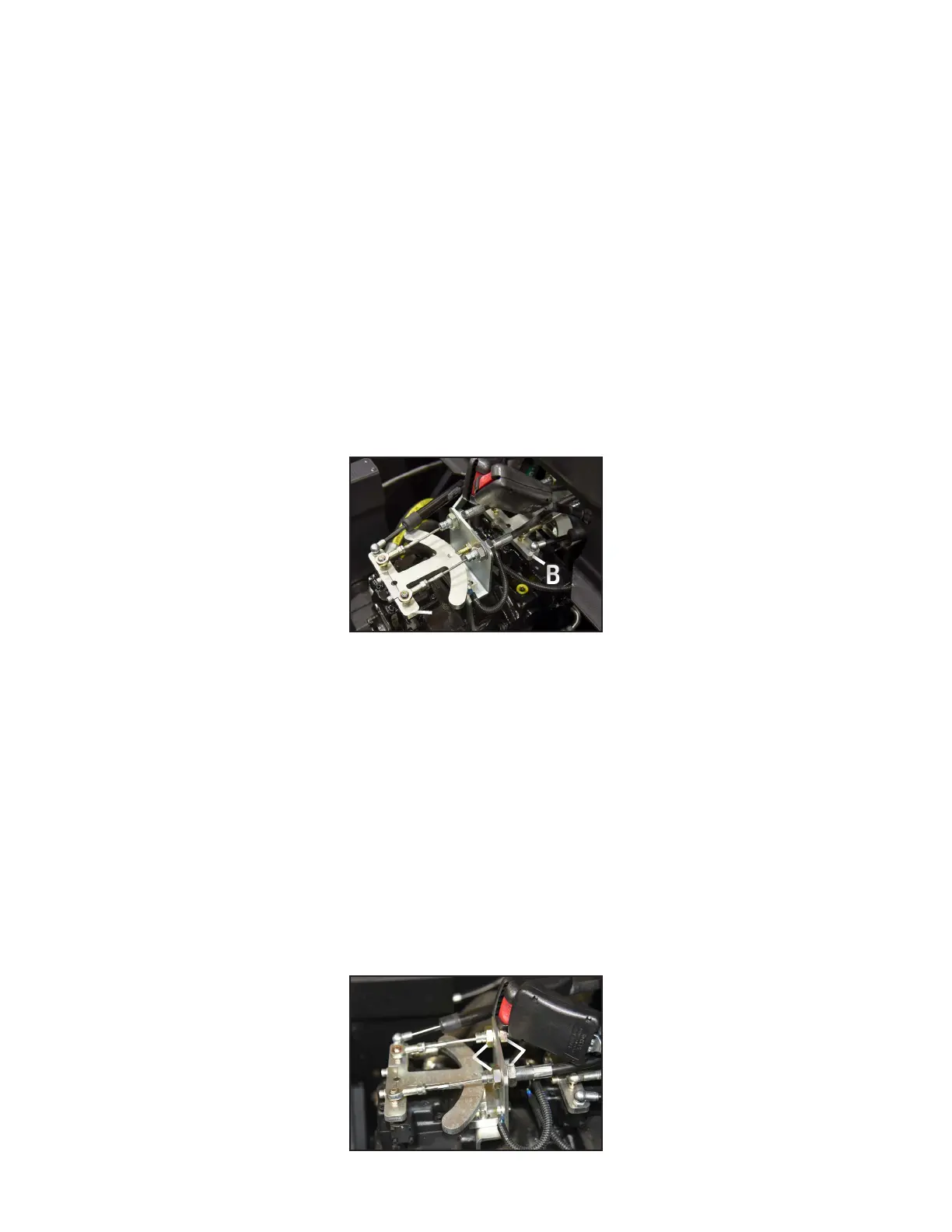
Ensure Mudd-Ox is shut off. Remove the lower operator seat and locate the z-bars (Figure-1). The front z-bar
“A” is easily visible, while the rear one “B” is partially inside the engine compartment. Move the right side control
lever while looking at the cables connected to the front most z-bar “A”. If there is significant slack and the cables
are binding up, it needs adjusted. If they are too tight, binding may also occur while making the lever difficult to
operate. Complete this test for the left side control lever as well, while looking at the cables connected to the rear
most z-bar “B”.
Adjustment
You have determined at least (1) of the steering cables needs adjusted. Complete the steps below for (1) cable at a
time. The following photos show adjustment points for the right control lever, which connects to the front z-bar.
Note: When adjusting, do not overtighten or under tighten the cables as they can become kinked and create dan-
gerous driving characteristics.
1. There are (2) adjustment locations for the steering cables. You may use either location, however, if there is no
more adjustment remaining at one location, it must be adjusted at the other. If both locations are out of adjust-
ment, a new steering cable is required.
A. See Accessing the Mudd-Ox to remove the lower operator seat, seat back, and seat L-bracket. This will gain
access to the z-bars mounted on top of the hydraulic pumps.
Figure-1
Front Z-Bar
AA
BB
Figure-2
Under Seat View
CC
DD


 To Next Page