30
www.multilaser.com.br
In the PC side you can see the disk , click on the disk, you can operate the files which stored
in the local disk of the device.
Note: the device also supports the FAT32 format for external devices, for example U disk, Micro SD card to
Transfer data.
3.0 Interface Introduction
3.1 Top bar of the Interface
a) WIFI signal status icon: if connected to the WIFI wireless network, the icon will be displayed;
b) 3G signal status icon: If connected to the 3G network, will show the “3G”network icon;
c) Time display: display the time of the current system, which has been set;
d) Battery status icon: displays the current battery level and the charging status.
3.2 The HOME screen menu
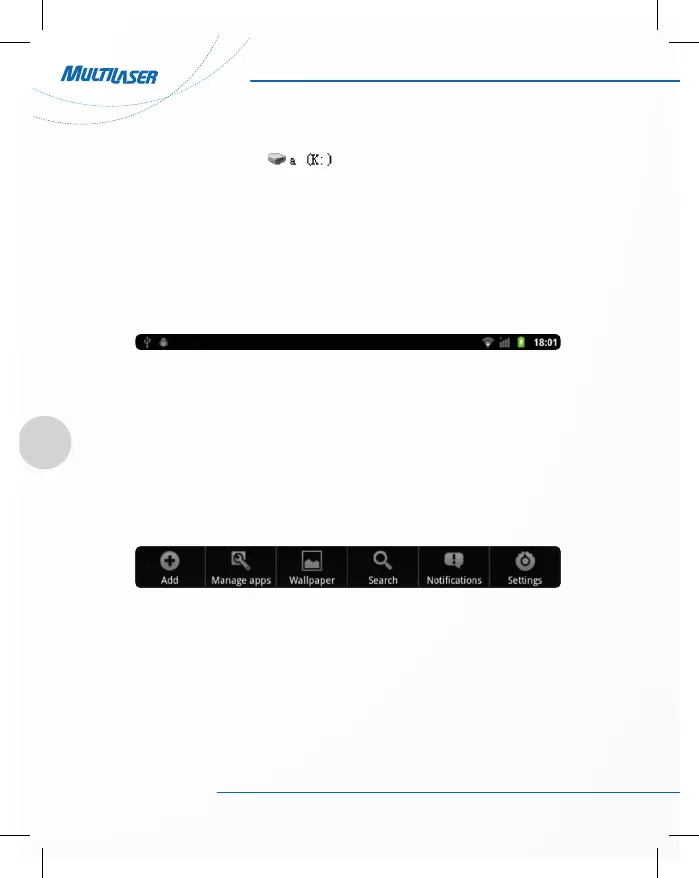
Press the menu key on the device, it will display a home screen menu as following:
• Add: To add a HOME screen item (shortcuts, widgets, folders, wallpapers);
• WallpapeA: users can replace the wallpaper with his wishes;
• Manage apps: it can quickly open a list of all applications;
• Search: provides fast access to Google search interface;
• Notifications: display some notice of the system when the users operation the device;
• Settings: fast access to system settings, user can choose “Wireless & networks”, “Display”, “Date & time”
for personalized settings.



 To Next Page